M365 / Microsoft Teams – Introduction to Microsoft Teams – for beginners / Administrators – Part 3 – Teams settings from M365 admin center

Microsoft Teams settings from M365 admin center
Hi All,
Greetings for the day 🙂 LIFE IS BEAUTIFUL 🙂
How to update “Guest access” settings for Microsoft Teams from M365 admin center

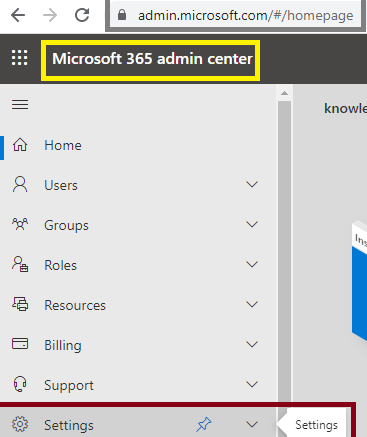
- Navigate to Microsoft 365 admin center
- Either through direct URL- https://admin.microsoft.com/#/homepage
- Or from https://portal.office.com
- Go to the Settings => Microsoft 365 admin center >> Settings (https://admin.microsoft.com/?auth_upn=prasham%40knowledgejunction1.onmicrosoft.com&source=applauncher#/Settings/Services/:/Settings/L1/SkypeTeams – notice the URL ) as
- Navigate to Org settings >> Microsoft Teams as shown in below Fig
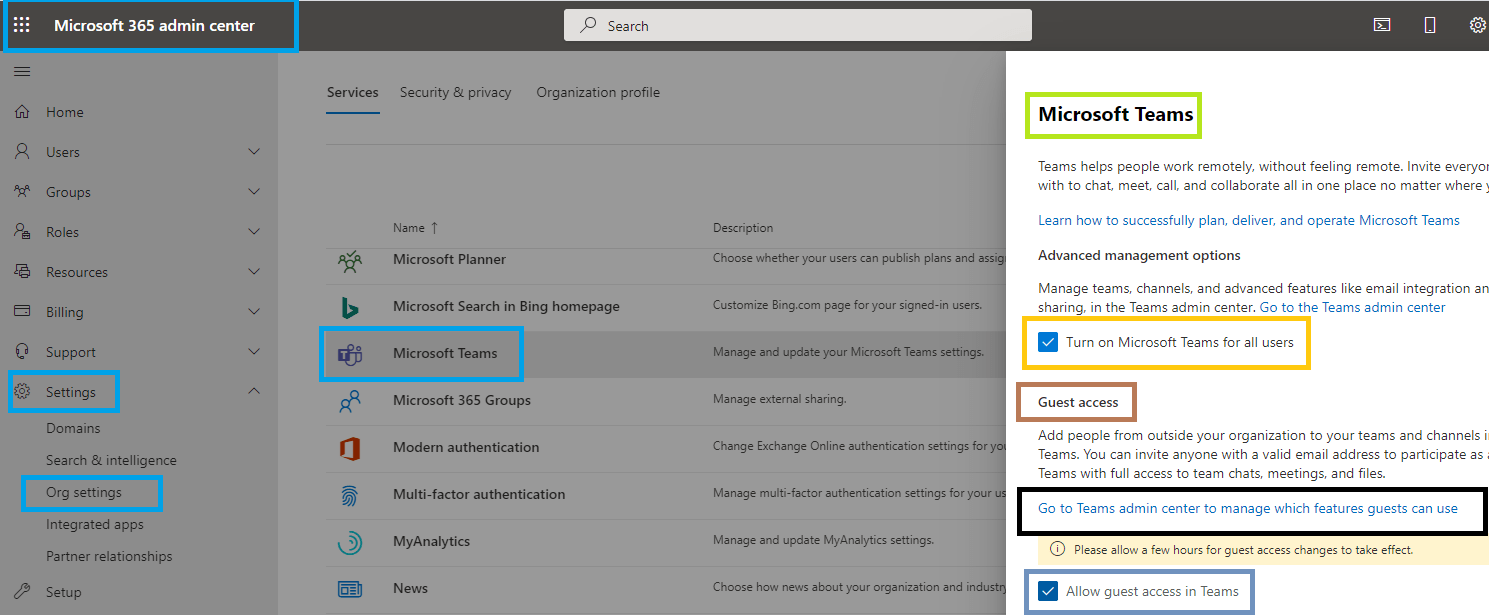
What this means – Allow guest access in Teams :
- When we will turn off this setting Microsoft Teams will block the existing guests from accessing teams
- No new guests will be added to the Teams
- Please note existing guests will not be removed from the Teams
- We can configure this setting from Microsoft Teams Admin Center as well, but we will have seperate articles on those
Few more details:
- Until Feb 2021 guest access was turned off by default. After that “Guess Access” is turned on by default
- This setting will be enabled by default even though organization dont want to enable “Guest Access”. We need to explicitly disable if we dont want to give guests to Teams
How to Turn ON / OFF Teams for Organization – Turning Teams On/Off at the Organization level :
- By default Teams are turned ON for all organizations
- Same navigation as above – https://admin.microsoft.com/?auth_upn=prasham%40knowledgejunction1.onmicrosoft.com&source=applauncher#/Settings/Services/:/Settings/L1/SkypeTeams
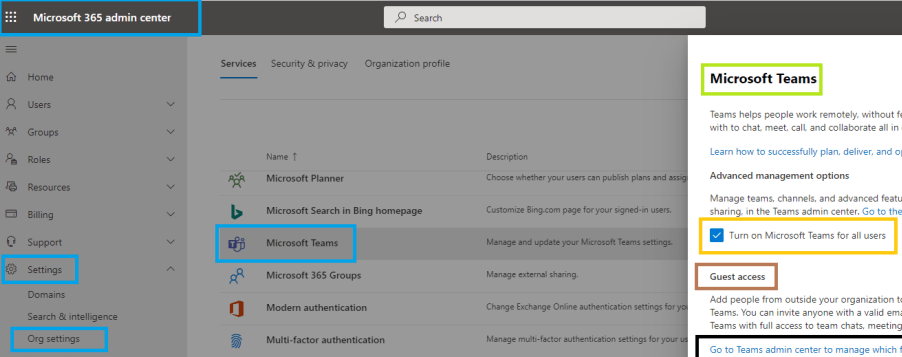
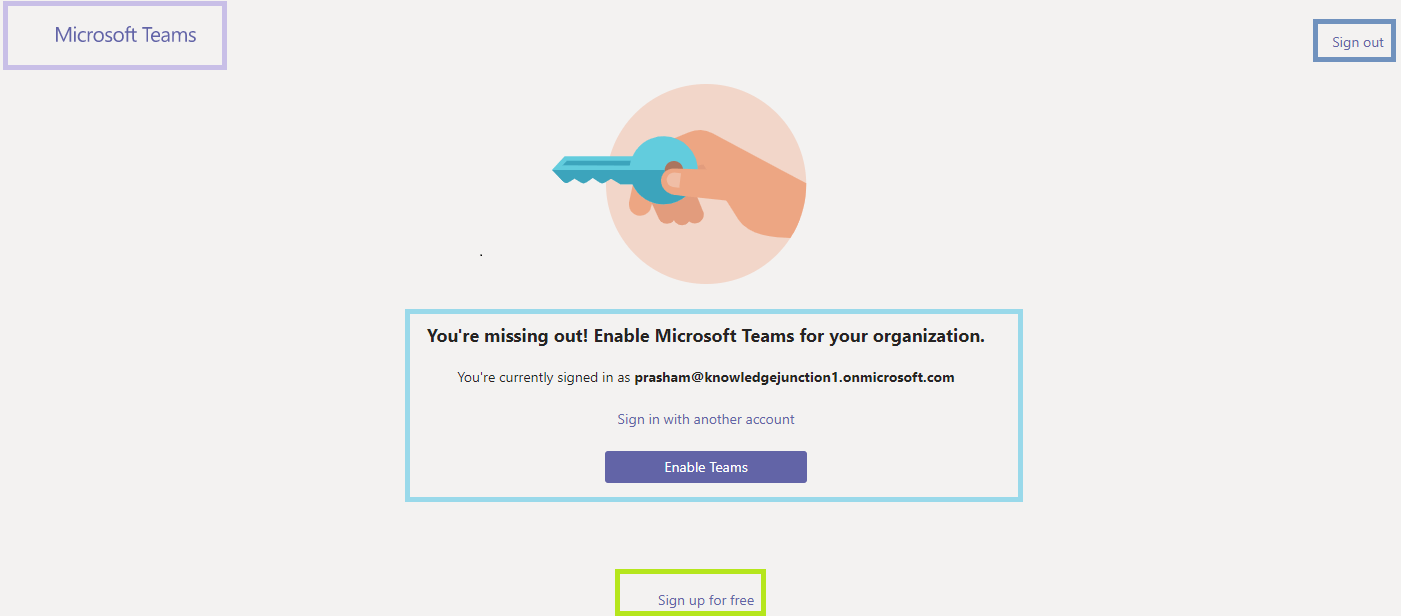
- If we disable “Turn on Microsoft Teams for all users” then when user will try to access the Teams will get following error
We have very good series of articles on Teams, please have a look – https://knowledge-junction.in/category/technology-articles/m365/microsoft-teams/
Thanks for reading 🙂 If its worth at least reading once, kindly please like and share 🙂 SHARING IS CARING
Enjoy the beautiful life 🙂 Have a FUN 🙂 HAVE A SAFE LIFE 🙂 TAKE CARE


You must be logged in to post a comment.