SharePoint migration – Resolving issue – LegacySiteDetected – 1 site(s) using SharePoint 2010 experience – Please upgrade sites using SharePoint 2010 experience in database “My site collection DB” to SharePoint. Sites that rely on these templates cannot be upgraded at this time, preventing upgrade of this site collection
Hi All,
Greetings for the day 🙂 LIFE IS BEAUTIFUL 🙂
SharePoint migration continues. Today new issue and resolution 🙂
Background :
- We are working on migration project. We are migrating from SharePoint 2010 to SharePoint 2016
- First step in our migration is Migrating SharePoint 2010 web application to SharePoint 2013 since there is no direct migration available from SharePoint 2010 to SharePoint 2016
- SharePoint 2010 to SharePoint 2013 migration happen successfully
- Next step is migrating SharePoint 2013 to SharePoint 2016
- We are using content database attach method
- We took the backup of our dbs from SharePoint 2013 server database and restored to SharePoint 2016 database server
- Created new web application in SharePoint 2016 environment
- Deployed out custom solutions on new SharePoint 2016 web application
- Next step is – execute Test-SPContentDatabase for all restored databases against new SharePoint 2016 web application
- We verfied the logs of Test-SPContentDatabase and found the error –
LegacySiteDetected – 1 site(s) using SharePoint 2010 experience – Please upgrade sites using SharePoint 2010 experience in database “My site collection DB” to SharePoint
Also, value for UpgradeBlock attribute is “True”
Issue : One of the site collection was still in 2010 experience. Site collection was not visually upgraded. So we went to the respective site collection and check the Site Collection Health Check as
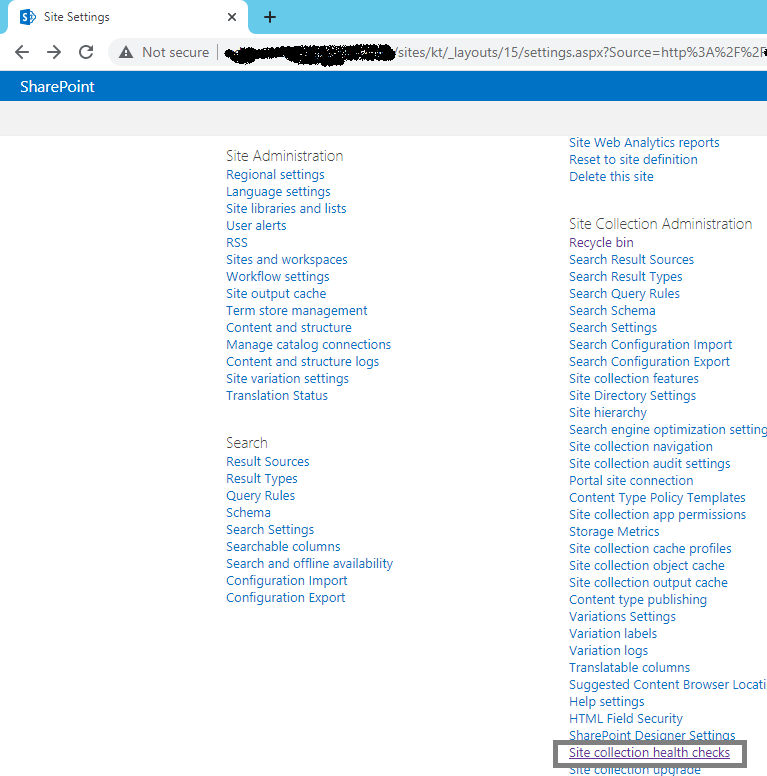
On health check status page we got an error –
The following sites are using templates that are not yet supported after upgrade:
http://MyServer/sites/mysite- <MyCustomSiteCollectionTemplate>#0
Sites that rely on these templates cannot be upgraded at this time, preventing upgrade of this site collection.
Solution :
- This issue occurs when we used custom site definitions for creating site collections in our web application
- Custom site definitions need to be available in both the hives – 14 and 15 in SharePoint 2013 environment while upgrade
- We forgot to copy custom site definitions in 15 hive and error cause – upgrade fails for respective site
- Also respective XML files related to respective site definition to in 1033 folder from 14 hive to 15 hive
- We ran the health check again and error went away 🙂
Thanks for reading 🙂 If its worth at least reading once, kindly please like and share 🙂 SHARING IS CARING 🙂
Enjoy the beautiful life 🙂 Have a FUN 🙂 HAVE A SAFE LIFE 🙂 TAKE CARE 🙂


You must be logged in to post a comment.