M365 / Microsoft Teams – Introduction to Microsoft Teams – for beginners / Administrators – Part 2 – Teams management tools – Study guide for MS – 700

Hi All,
Greetings for the day 🙂 LIFE IS BEAUTIFUL 🙂
On Knowledge Junction we are starting exploring Microsoft Teams from scratch. We have our last article – M365 / Microsoft Teams – Introduction to Microsoft Teams – for beginners / Administrators (help to prepare interviews and respective certifications) – Part 1
These articles will also help to prepare exam – Microsoft Team Administration – MS – 700
Today, we will have another article on Microsoft Teams, in this article we will discuss few Teams management tools
Team Management includes :
- Adding / Creating new Teams
- Editing existing Teams
- Archive / UArchive Teams
- Deleting Teams

Rights / Permissions required for managing Teams : Either Global Administrator or Teams Service Administrator role
There are two types of management tools for Teams administrators:
- GUI Tools
- Command-line and automation tools
GUI Tools :
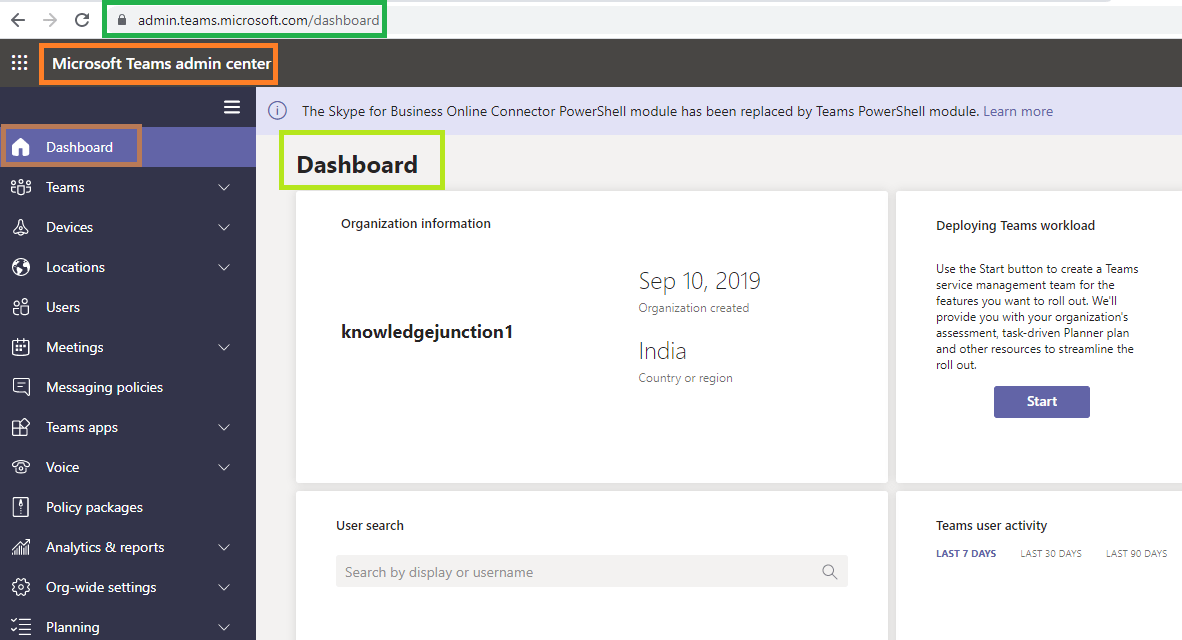
- Microsoft Teams admin center https://admin.teams.microsoft.com/dashboard
- Azure Active Directory admin center https://aad.portal.azure.com/
- Microsoft 365 admin center https://admin.microsoft.com/
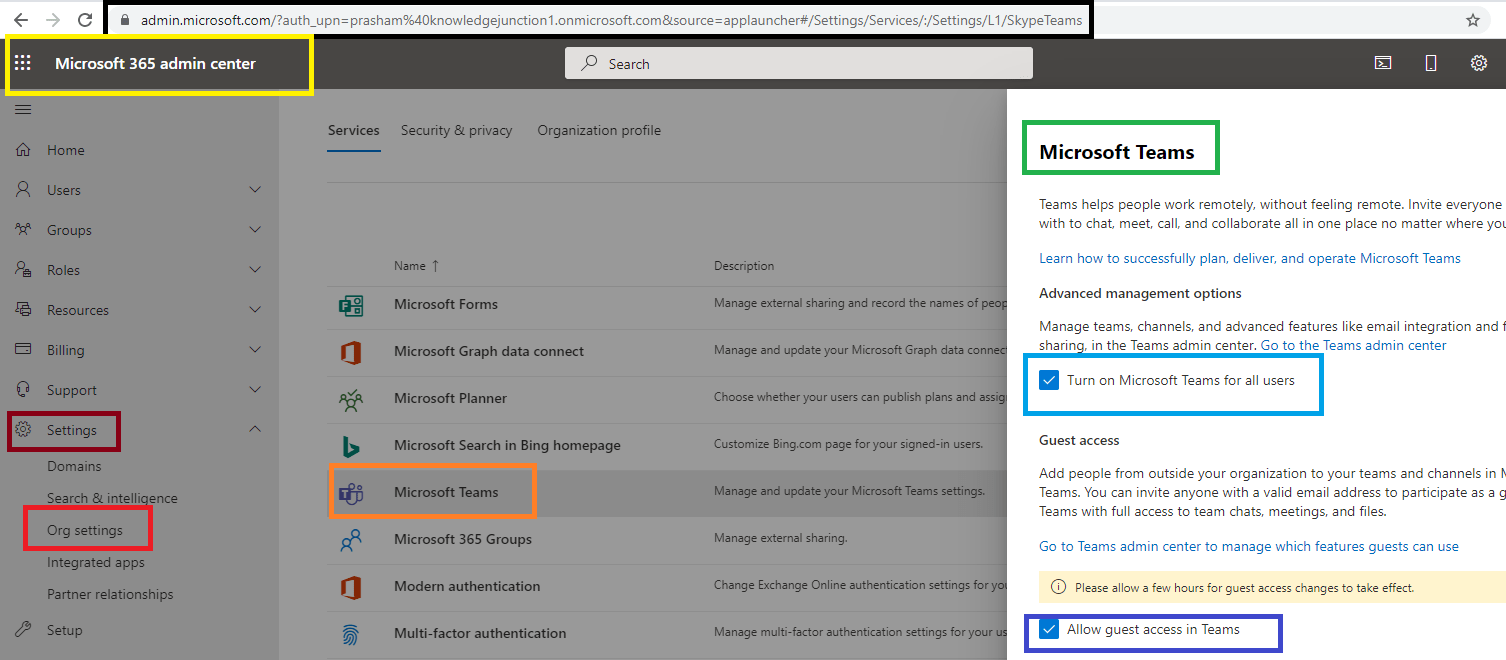
- We can control Organization level settings for Teams from Microsoft 365 admin center
- Navigate to Microsoft 365 admin center >> Settings >> Org settings >> Microsoft Teams
- Settings like
- Turning on Microsoft Teams for all users and
- Allow guest access in Teams
Command-line and automation tools :
- PowerShell, for configuration and limited lifecycle management
- PowerShell is a shell and scripting language that helps administrators and power users rapidly automate management tasks from a command line
- Administrators can use PowerShell to manage settings, configuration, and policy in Teams
- The PowerShell controls for managing Teams are found in two different PowerShell modules:
- the Skype for Business PowerShell module –
- contains the cmdlets to manage policies, configurations, and other Teams tools
- Skype for Business Online Connector is currently part of the latest Teams PowerShell module – MicrosoftTeams.
- If we are using the latest Teams PowerShell public release, we don’t need to install the Skype for Business Online Connector
- the Microsoft Teams PowerShell module – MicrosoftTeams
- contains all the cmdlets to create and manage teams
- Microsoft Teams PowerShell module is currently supported for use with PowerShell 5.1 on Windows
- If we are on Windows 10 version 1607 or higher, we already have PowerShell 5.1 installed
- We could install Microsoft Teams PowerShell module “MicrosoftTeams” as
- the Skype for Business PowerShell module –
Install-Module -Name MicrosoftTeams -Force -AllowClobber- Graph API, for Teams lifecycle management
- We have very good series of articles on Microsoft Graph – kindly please have a look once – https://knowledge-junction.in/?s=Microsoft+Graph
We have other very good series of articles on Microsoft Teams please have a look – https://knowledge-junction.in/category/technology-articles/m365/microsoft-teams/
Thanks for reading 🙂
njoy the beautiful life 🙂 Have a FUN 🙂 HAVE A SAFE LIFE 🙂 TAKE CARE


1 Response
[…] M365 / Microsoft Teams – Introduction to Microsoft Teams – for beginners / Administrators – Pa… […]