M365 / SharePoint online / Power BI – new feature – Major Update – Easily Create Power BI Reports from SharePoint Online Lists

Power BI Admin center >> Enabling / Disabling setting for integrating Power BI option with SharePoint and Microsoft Lists
Hi All,
Greetings for the day 🙂 LIFE IS BEAUTIFUL 🙂
Today exploring OOB feature which recently released to SharePoint Online / Power BI under MAJOR UPDATES.
Feature : Quick Create – Easily Create Power BI Reports from SharePoint / Microsoft Lists
Details :
- New option “Power BI >> Visualise the list” is added to SharePoint Lists that will make it easy to quickly create business intelligence reports in Power BI using our list schema and data as shown in below Fig
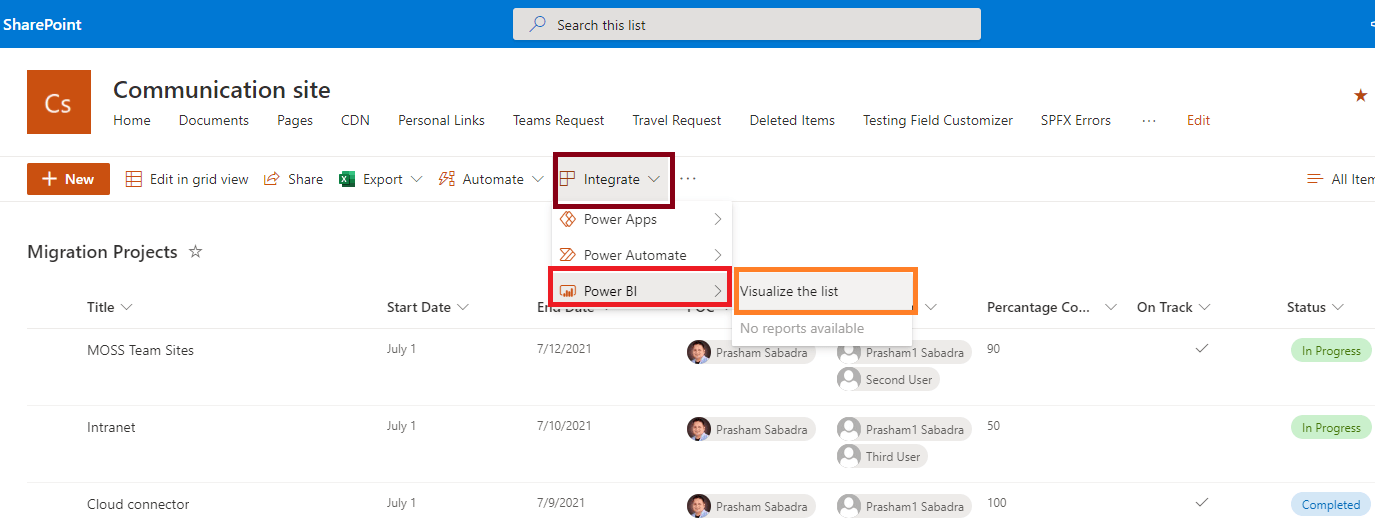
- This option will allow us to create Power BI reports using the list
- When we click on “Visualize the list” link we will be redirected to PowerBI service – PowerBI portal – here in my case => https://app.powerbi.com/sharepointlist?spListId=%7Be46b2235-efb3-4418-9141-06c7505b5b9d%7D&spListUrl=https:%2F%2Fknowledgejunction1.sharepoint.com%2FLists%2FMigration%20Projects&spListUniqueId=1a22eb80-09e2-44eb-a8a3-124fdb294b48e46b2235-efb3-4418-9141-06c7505b5b9d
- Users with a Microsoft 365 E5 license or Power BI Pro license will have access to the full report authoring and viewing experience
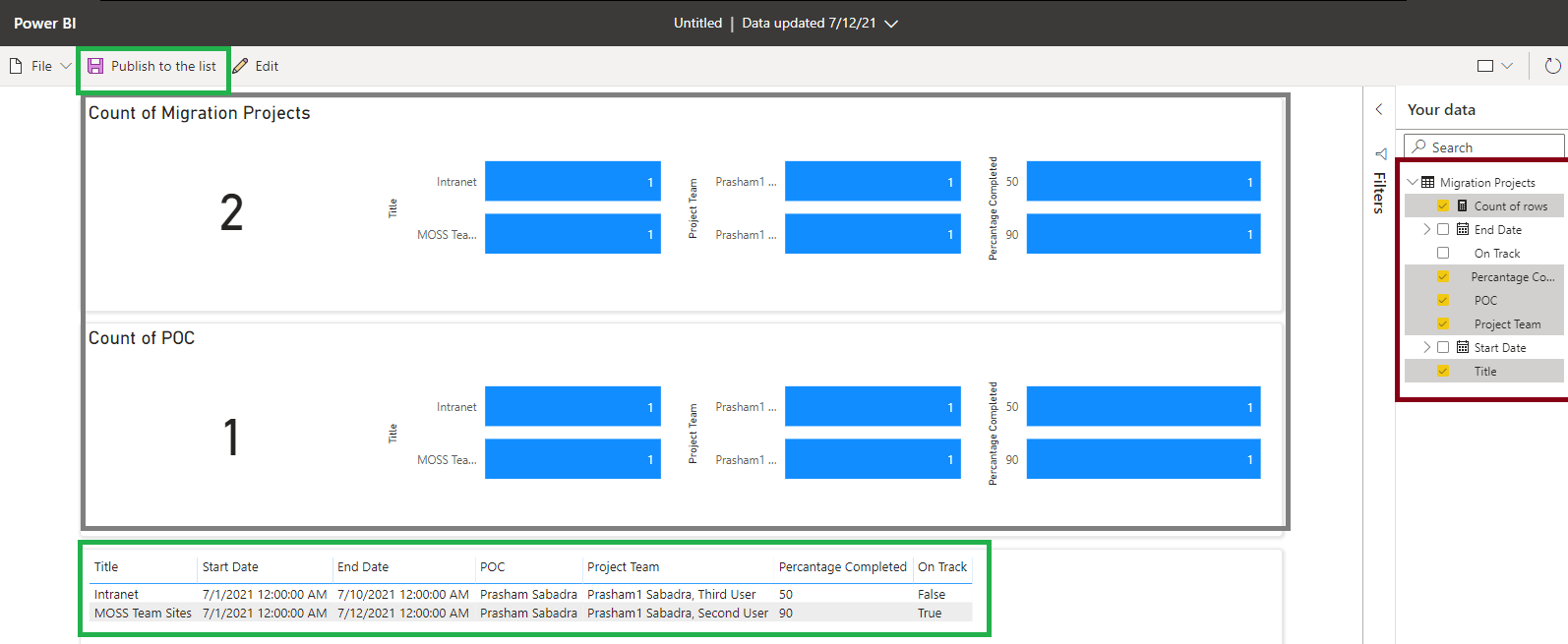
- By default this feature will be ON
- We can TURN OFF this feature from Power BI Admin Center from Tenant Settings as
Steps to TURN OFF this feature from Power BI Admin Center
- Navigate to Power BI Admin Center
- Either directly – https://app.powerbi.com/admin-portal?language=en-US
- OR through M365 admin center – https://admin.microsoft.com/Adminportal/Home?source=applauncher#/alladmincenters as

- From Power BI Admin center home page >> Tenant Settings >> Integration settings >> Integration with SharePoint and Microsoft Lists as

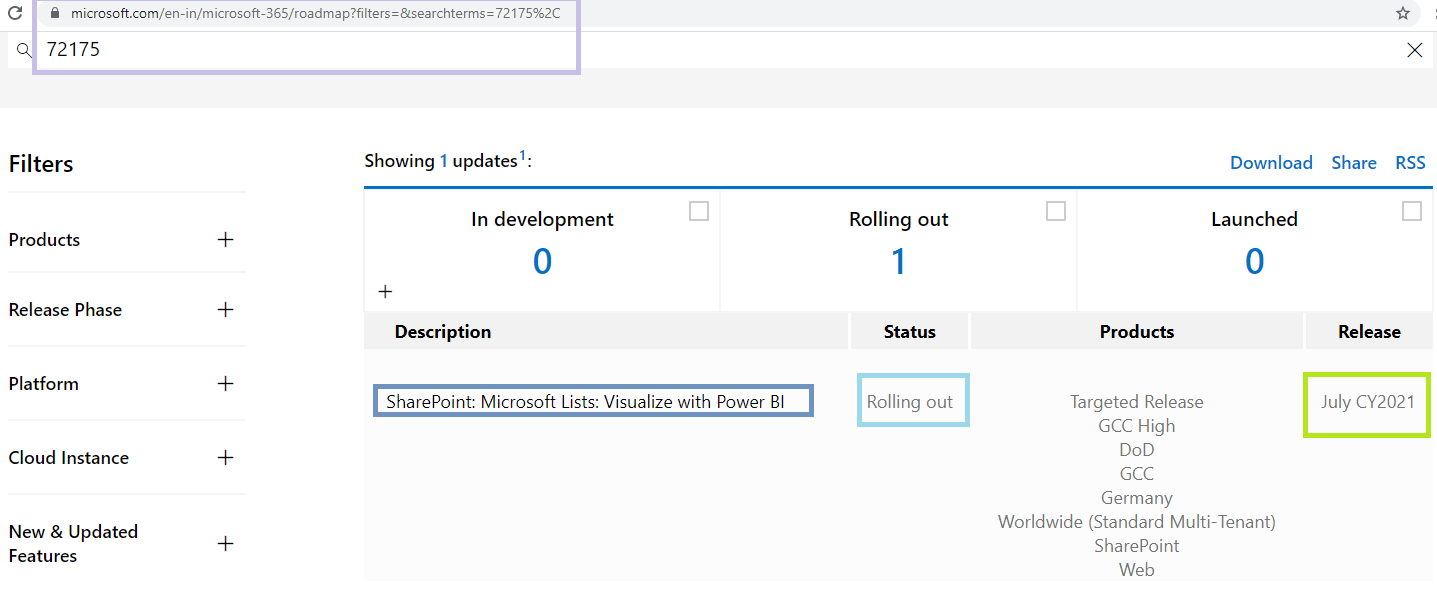
Microsoft 365 Roadmap : 72175
Thanks for reading 🙂
Enjoy the beautiful life 🙂 Have a FUN 🙂 HAVE A SAFE LIFE 🙂 TAKE CARE


You must be logged in to post a comment.