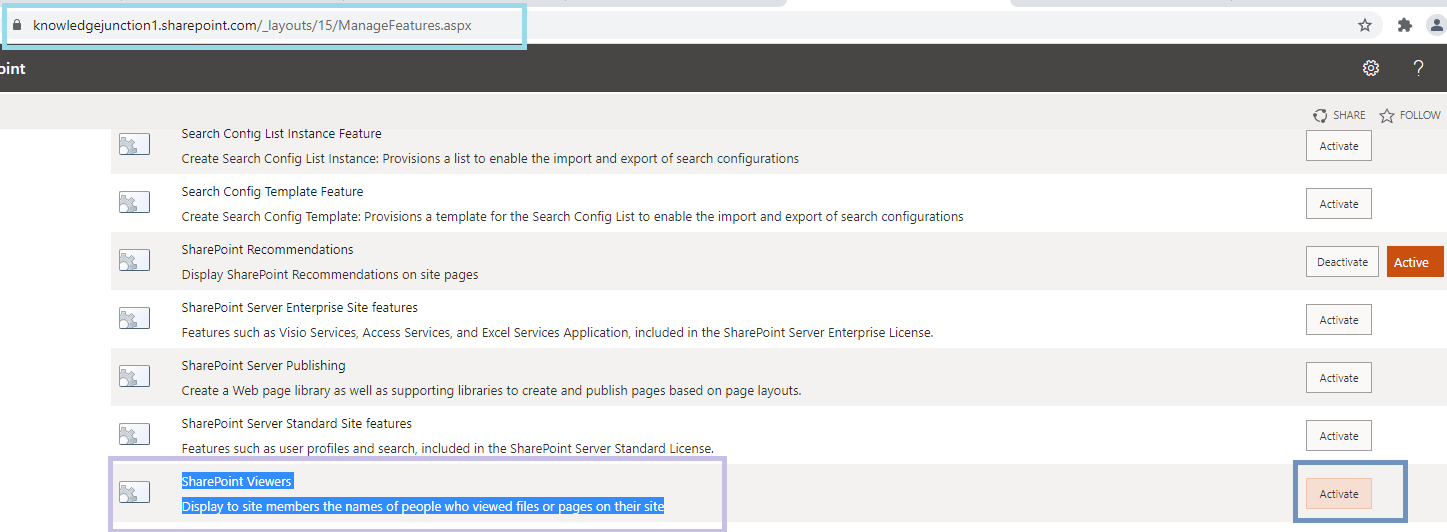
Fig : Microsoft 365 - SharePoint Online - activating site level feature - "SharePoint Viewers"
Hi All,
Greetings for the day 🙂 LIFE IS BEAUTIFUL 🙂
Today I got to know about one of the very good feature for SharePoint page / news authors . This feature may be available from long time but since I got to know recently thought to share 🙂
Background :
I have published one news on my SharePoint site and interested to know who viewed my news
I was searching for the option and while googling got to know about this site level feature – “SharePoint Viewers”
This feature allows us display the name of viewers who viewed our page / news, interesting no 🙂
Fig : Microsoft 365 – SharePoint Online – Site level feature – “SharePoint Viewers”
Please note that by default this feature is not activated
Details :
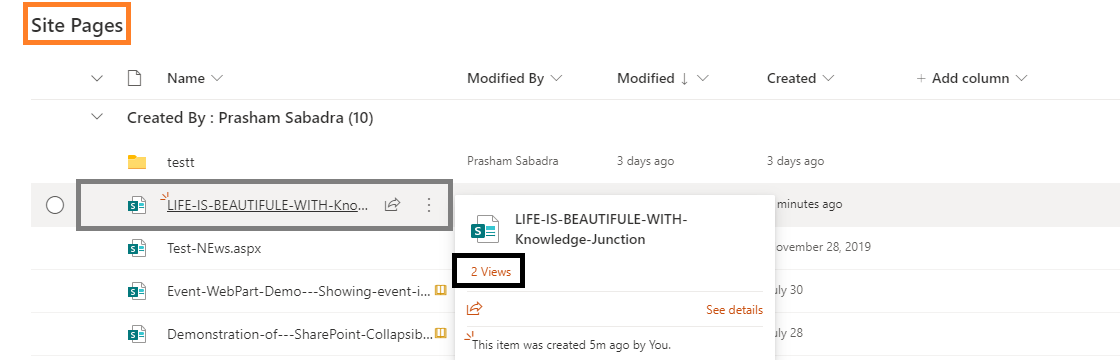
Before activating this feature if we go to any page / news it just sows the number of views and not the users who viewed our pages as shown in below fig
Fig : Microsoft 365 – SharePoint Online – before activating site level feature – “SharePoint Viewers” – we could see only number of views and not the viewers
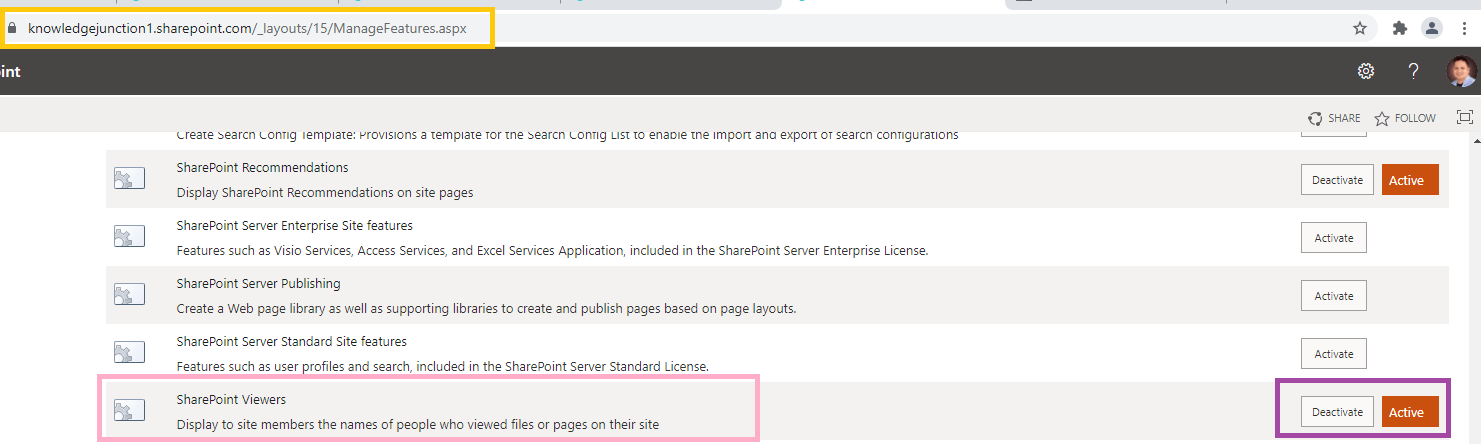
Lets activate this site level feature – “SharePoint Viewers”
Fig : Microsoft 365 – SharePoint Online – activating site level feature – “SharePoint Viewers”
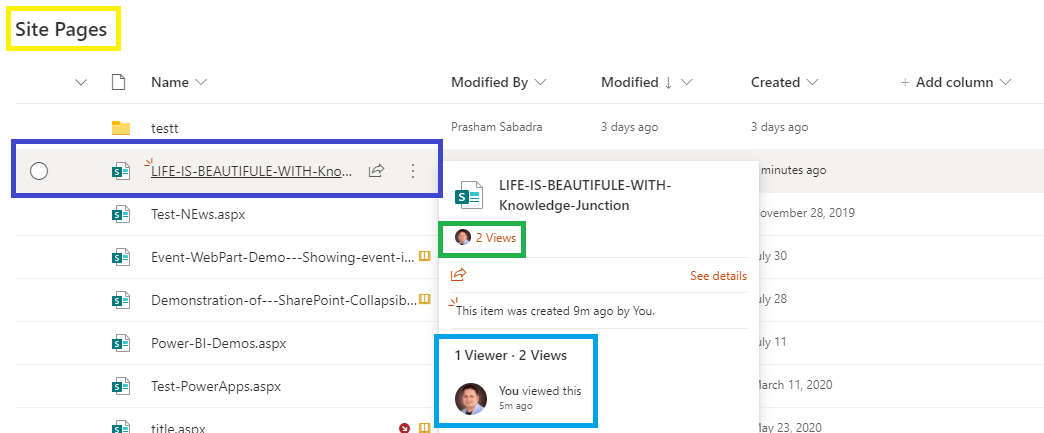
Once we activated this site level feature – “SharePoint Viewers”, go to the pages library and hover again on the page as shown in below fig
Fig : Microsoft 365 – SharePoint Online – after activating site level feature – “SharePoint Viewers” – we could see the people icon before the number of views below title and viewer as well
If you notice in above figure, after activating this feature, we could see the people icon before number of views
We could also see the viewers
Thanks for reading 🙂
Have a great day ahead 🙂 STAY SAFE 🙂 STAY HEALTHY 🙂
LIFE IS VERY BEAUTIFUL. ENJOY THE WHOLE JOURNEY :)
Founder of Microsoft 365 Junction, Speaker, Author, Learner, Developer, Passionate Techie.
Certified Professional Workshop Facilitator / Public Speaker.
Believe in knowledge sharing. Around 20+ years of total IT experience and 17+ years of experience in SharePoint and Microsoft 365 services
Please feel free me to contact for any SharePoint / Microsoft 365 queries.
I am also very much interested in behavioral (life changing) sessions like motivational speeches, Success, Goal Setting, About Life, How to live Life etc.
My book - Microsoft 365 Power Shell hand book for Administrators and Beginners and 100 Power Shell Interview Questions - https://www.amazon.in/Microsoft-Administrators-Beginners-Interview-Questions/dp/9394901639/ref=tmm_pap_swatch_0?_encoding=UTF8&qid=1679029081&sr=8-11



You must be logged in to post a comment.