Power Automate – Create File action – resolving error – Error code: ‘400’, Message: ‘The requested action could not be completed. Check your request parameters to make sure the path ” exists on your file system.

Power Automate - "Create File" action - creating connection to File System from Power Automate

Hi All,

Greetings for the day 🙂 LIFE IS BEAUTIFUL 🙂

Today new issue and solution 🙂

Background / Details :

  • In our organization we have one request from one of our user for downloading the file from SharePoint online site document library to local machine (server)
  • Since this is continuous process we need to automate this process and hence the Power Automate comes into the picture
  • As we need to download the file on local machine / server we require On-premises data gateway
  • Detailed article on On-premises data gateway is on its way 🙂 stay tuned 🙂
  • We have successfully installed On-premises data gateway
  • Started creating Power-automate
  • We are using “Create File” action of Power-automate as
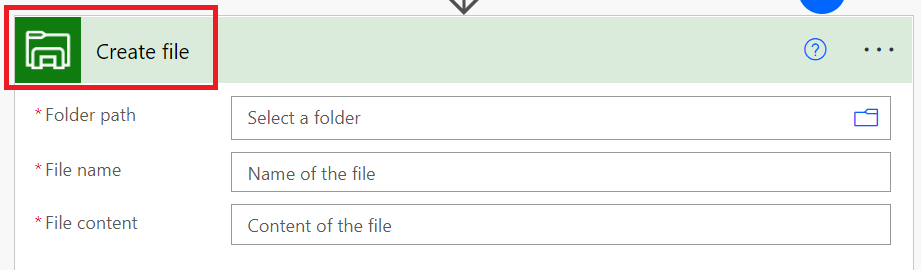
Power automate - "Create file" action to create file on local system / server
fig : Power automate – “Create file” action to create file on local system / server
  • To use this action we need to create / use connection to File System as shown in below figure
Power automate - "Create file" action - creating connection to File System
fig : Power automate – “Create file” action – creating connection to File System
  • We need to set following properties
    • Authentication Type – Windows
    • Username and Password
Power Automate - "Create File" action - creating connection to File System from Power Automate
Fig : Power Automate – “Create File” action – creating connection to File System from Power Automate
  • When we click on “Create” button we are getting an error as shown in above figure

Error / Issue :

Error code: ‘400, Message: ‘The requested action could not be completed. Check your request parameters to make sure the path ” exists on your file system. clientRequestId: 764B8BD4-2C7A-41A6-826C-889611929224’. More diagnostic information: x-ms-client-request-id is ‘764B8BD4-2C7A-41A6-826C-889611929224’.

Solution :

  • After bit googling it found that we didn’t specified domain while specifying Username
  • As we specified domain for Username, it worked like charm. In our case – WORKGROUP\prasham as
Power Automate - Creating connection to File system - specifying domain for Username
fig : Power Automate – Creating connection to File system – specifying domain for Username
  • As we specified DOMAIN with Username, connection created successfully
  • We are able to fetch folders from local file system as
Power Automate - Creating connection to File system - selecting local folder to download / create file
fig : Power Automate – Creating connection to File system – selecting local folder to download / create file
  • Selecting folder from local drive
Power Automate - Creating connection to File system - selecting local folder to download / create file
fig : Power Automate – Creating connection to File system – selecting local folder to download / create file

Thanks for reading 🙂 HAVE A GREAT VACATIONS AHEAD 🙂

Prasham Sabadra

LIFE IS VERY BEAUTIFUL. ENJOY THE WHOLE JOURNEY :) Founder of Microsoft 365 Junction, Speaker, Author, Learner, Developer, Passionate Techie. Certified Professional Workshop Facilitator / Public Speaker. Believe in knowledge sharing. Around 20+ years of total IT experience and 17+ years of experience in SharePoint and Microsoft 365 services Please feel free me to contact for any SharePoint / Microsoft 365 queries. I am also very much interested in behavioral (life changing) sessions like motivational speeches, Success, Goal Setting, About Life, How to live Life etc. My book - Microsoft 365 Power Shell hand book for Administrators and Beginners and 100 Power Shell Interview Questions - https://www.amazon.in/Microsoft-Administrators-Beginners-Interview-Questions/dp/9394901639/ref=tmm_pap_swatch_0?_encoding=UTF8&qid=1679029081&sr=8-11

You may also like...

Leave a Reply

This site uses Akismet to reduce spam. Learn how your comment data is processed.

Discover more from Microsoft 365

Subscribe now to keep reading and get access to the full archive.

Continue reading