SPFx component – Simplifying understanding of Service Locator Pattern – part 1 – Adding service/class to SPFx project structure and accessing in SPFx component

Hi All,
Greetings for the day !
As discussed in previous post , I started working on SPFx components. Learning REACT and SPFx components , best practices for implementations
One of my use case is I need to get the data from multiple lists from my SharePoint site either using Microsoft Graph APIs OR PnP. So while doing research I came across Service Locator Pattern. Started implementing and realise that it is bit complex at first stage to understand
So thought to sharing and starting with very simple demo where we have our SPFx component and one class having static method and calling the static method in our SPFx component.
In subsequent articles we will move ahead and will demonstrate and implement – Service Locator Pattern
Take away from this article :
- Understanding the project structure for adding class / service
- Calling static method from class in SPFx component
Creating a SPFx component :
- If you are new to SPFx then please have a look once very good article from MS – Build your first SharePoint client-side web part (Hello World part 1) this article has detailed steps and also explains the structure of SPFx project
- We have also series of articles for REACT beginners
- Here I will create very simple SPFx component – demoapp it look like as

- As in above fig we have very simple Demoapp SPFx component, I cleared Render() method as well
- I executed following commands to deploy the component
gulp clean
gulp build
gulp bundle --ship
gulp package-solution --ship- On successful execution of above commands, I uploaded solution package in App Catalog sites “Apps for SharePoint” library
- Next step is to add the component on one of the page and it looks like as
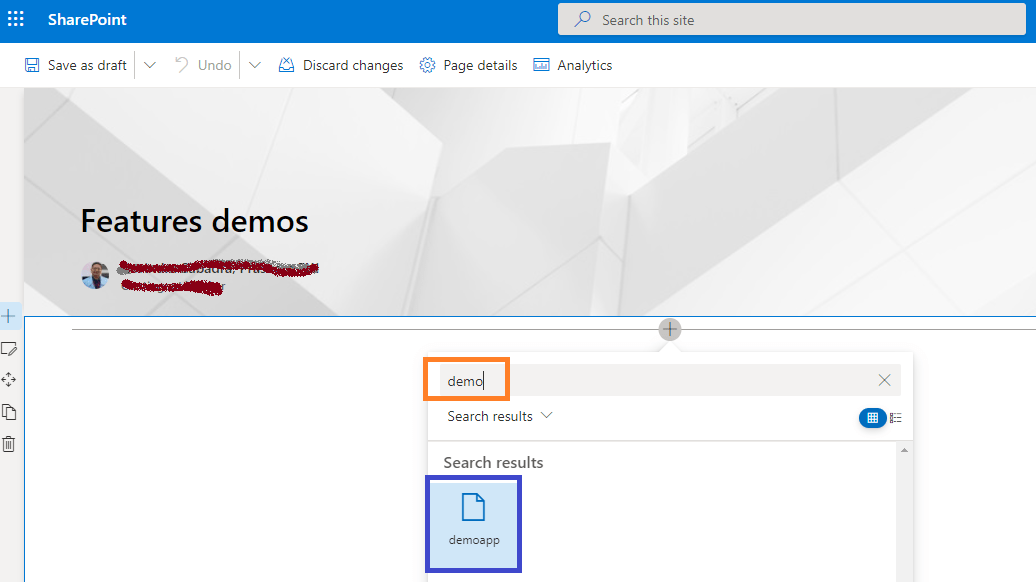
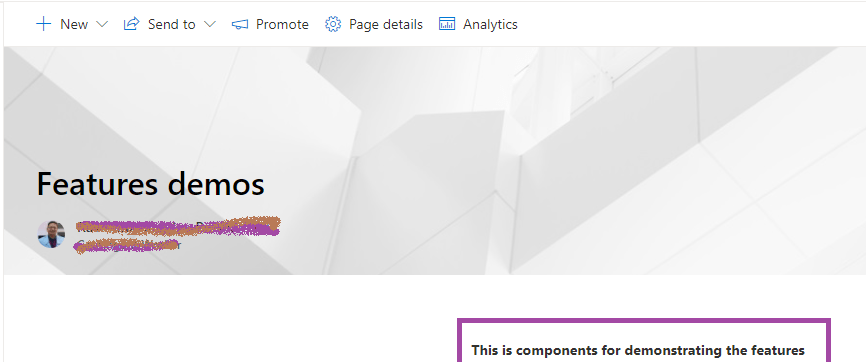
- Now, next step is to have class and access method in our SPFx component from the respective class
- We will add “services” folder to have our classes like for operations on Lists, Taxonomy or other SharePoint features
- Since those classes will be for all our SPFx components which we will implement, we will add this folder under “src” folder and parallel to our “webparts” folder as
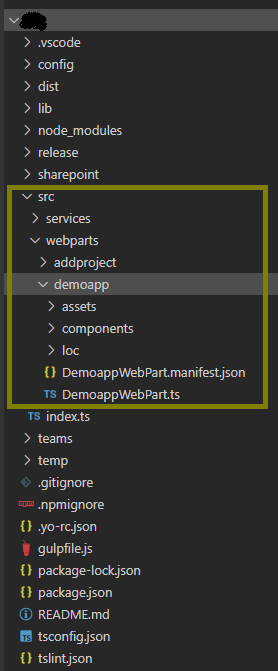
- Here, please note our “webparts” folder contains multiple web parts
- Next step is in our “services” folder, add very simple class and one method in it as

- Here please notice as in above fig we have added on demoservice.ts file having class demoservice and method “showalert()” which simply returns string
export default class demoservice {

    static showalert() {
        return "call from service";
    }//showalert

}//demoservice- Next step is to use this class in our SPFx component and call the method as

- Please note how we are calling method from our custom class – demoservice added under “services” folder
- In tsx file of our component we are importing the class as
import demoservice from "../../../services/demoservice"- Next we are calling showalert() method and showing in JaveScript alert() as
alert(demoservice.showalert());- On successful deployment, refresh the page and output will be – JavaScript alert

Thanks for reading ! This is first step towards implementing “Service Locator Pattern”.
Stay tuned for next steps !! Please feel to discuss in case require !


![PowerShell : resolving error - Method invocation failed because [System.Management.Automation.PSObject] does not contain a method named 'op_Addition'](https://i0.wp.com/knowledge-junction.in/wp-content/uploads/2024/06/fig1.png?fit=944%2C103&ssl=1&resize=40%2C40)


1 Response
[…] SPFx component – understanding Service Locator Pattern – https://knowledge-junction.in/2022/03/23/spfx-component-simplifying-understanding-of-service-locator… […]