Cloud Security – Azure Active Directory authentication – Configuring Multi-Factor Authentication (MFA) – Bulk user update – Part 5

Hi All,
LIFE IS BEAUTIFUL 🙂 I hope we all are safe:) STAY SAFE, STAY HEALTHY 🙂 STAY HOME 🙂
In last couple of articles we are discussing about cloud security – Azure AD and authentications
- Cloud Security- Introduction to Azure Security and Azure Security Center
- Cloud Security – Azure Active Directory authentication – Part 1
- Cloud Security – Azure Active Directory authentication – self-service password reset – Part 2
- Cloud Security – Azure Active Directory authentication – Configuring Multi Factor Authentication (MFA) – Part 3
- Cloud Security – Azure Active Directory authentication – Configuring Multi-Factor Authentication (MFA) with Conditional Access – Part 4
I received one of the comment on MFA articles that is there any option to update the MFA setting for multiple users at a time. So scenario is in my organizations there are thousands of users and administrator need to change the MFA settings / status for multiple users.
So answer to above question is yes, it is possible and we have multiple options for that
- From UI – From Azure Active Directory admin center
- From PowerShell script
In this article we will discuss option from UI From – Azure Active Directory admin center and in next article we will discuss the PowerShell scripts for the same.
Take Away From This Article:
- How to configure Multi-Factor authentication from UI – Azure Active Directory admin center
So lets begin the FUN 🙂
- We need to navigate to “Azure Active Directory admin center” either from direct URL – https://aad.portal.azure.com/ or From Microsoft 365 Admin Center – https://admin.microsoft.com/ as
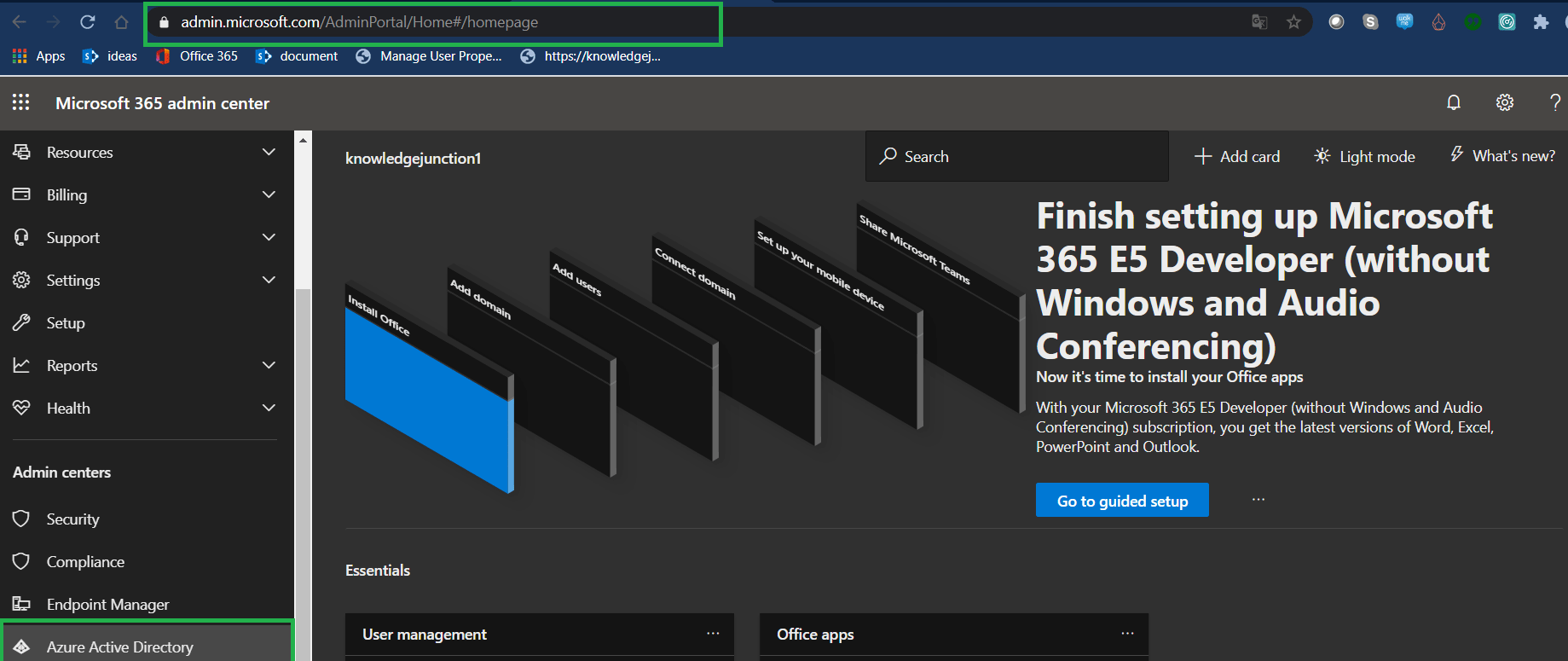

- Click on “Users” menu from left navigation as shown in above fig
- We will be redirected to Users | All users dashboard as shown in below Fig
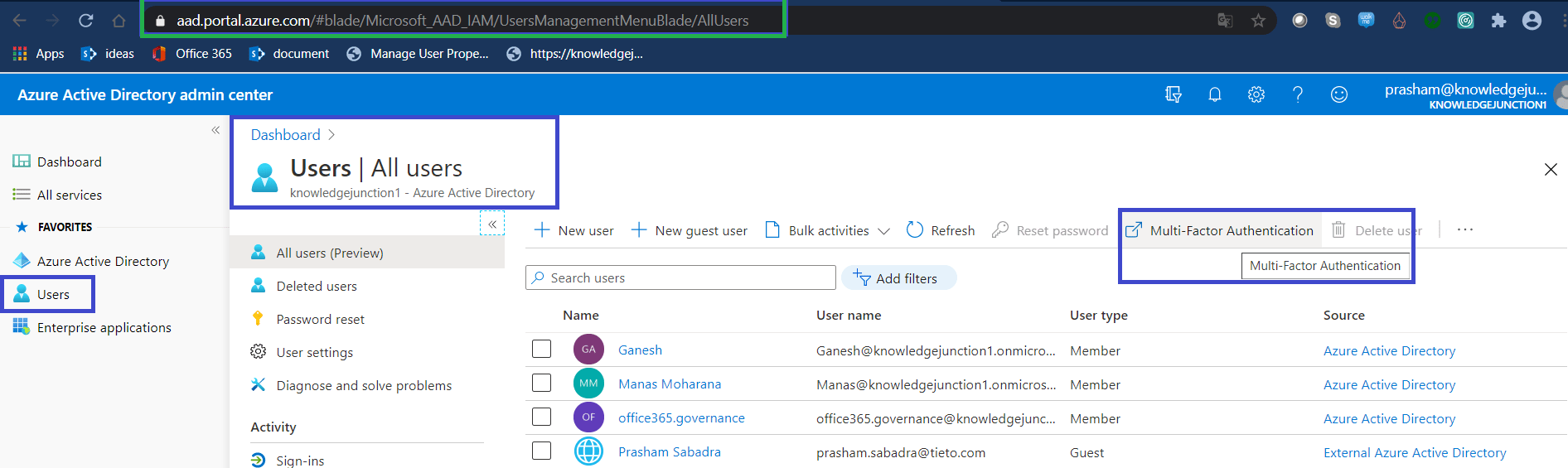
- From Users dashboard click on “Multi Factor Authentication” link in right top corner as shown in above Fig
- We will be redirected to “multi-factor authentication” page as shown in below Fig- https://account.activedirectory.windowsazure.com/usermanagement/multifactorverification.aspx

- In above Fig we will see there is button with blue background “bulk update“
- Click on the button “select a CSV file” dialog will appear as shown in below Fig
- From this file we could upload .CSV file having user names and MFA option either Enable or Disable

- Following is the sample excel downloaded from “Select a CSV file” dialog

- Just download sample .CSV file, update with your users and status.
- Upload the updated file, “Verifying file” dialog will appear as shown in below Fig

- Once uploaded file verified successfully setting for the respective users will be updated 🙂
- But there is tweak when we need to enable MFA for guest user. If we do it directly without conditional access, we will get an following error

- As in above Fig, we are trying to update MFA status for two guest users and we are getting an error “Invalid user name“
- We have an article for the same – for configuring Multi-Factor authentication for guest users, kindly please refer once – Azure Identity And Access Management Part 17 – Azure Active Directory – Business-to-Business (B2B) And Guest User 5 – Configure Conditional Access Policy And Multi-Factor Authentication (MFA) For Guest User
- We have article for Multi-Factor access with Conditional Access, kindly please refer once – Cloud Security – Azure Active Directory authentication – Configuring Multi-Factor Authentication (MFA) with Conditional Access – Part 4
We have very good series on Azure, lots of discussion on Azure, please visit – https://knowledge-junction.in/?s=azure
Thanks for reading 🙂 If its worth at least reading once, kindly please like and share. SHARING IS CARING 🙂
Enjoy the beautiful life 🙂 Have a FUN 🙂 HAVE A SAFE LIFE 🙂 TAKE CARE 🙂


good