Microsoft 365 : SharePoint Online – New feature – Lists in Microsoft Teams: Comment and @mention people on list items in Teams

Microsoft Teams - new feature - comments and mentions in the list

Hi All,

Greetings for the day 🙂 LIFE IS BEAUTIFUL 🙂

Today new feature related to Microsoft Teams and SharePoint Online 🙂

Feature : Lists in Microsoft Teams: Comments and @mention people on list items in Teams

Details :

  • Commenting capability available for Lists on the web to Lists within Teams
  • Users will be able to view, delete, and add comments on a list item inside Teams
  • We could also mention the users in comments by using @ – sign with person’s name to tag
  • Users who are mentioned in comments are notified by emails
  • This feature is rolled out for desktops, web and mobile

Permissions to comment on List items in Teams :

  • As we have in SharePoint, permissions to comment on list items will be same
  • Users with read permissions will only view comments
  • Users with edit permissions can add delete permissions

Release dates :

  • Targeted release : Starting and ending roll out by mid October
  • Standard release : Starting in mid October and ending complete roll out by late October

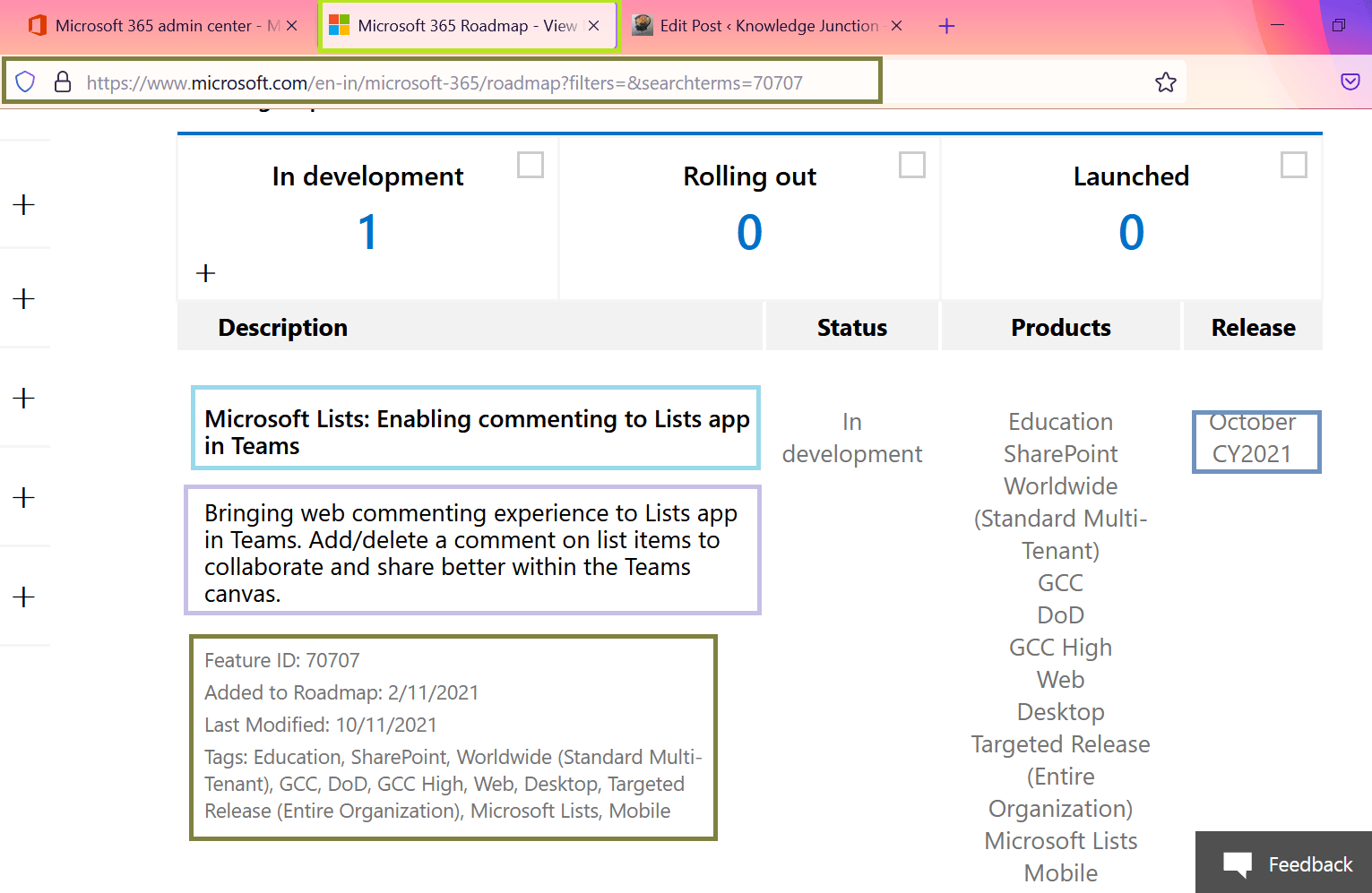
Microsoft 365 associated RoadMap ID70707

Microsoft Teams - RoadMap ID 70707 - Microsoft Lists: Enabling commenting to Lists app in Teams
Fig : Microsoft Teams – RoadMap ID 70707 – Microsoft Lists: Enabling commenting to Lists app in Teams

Demo :

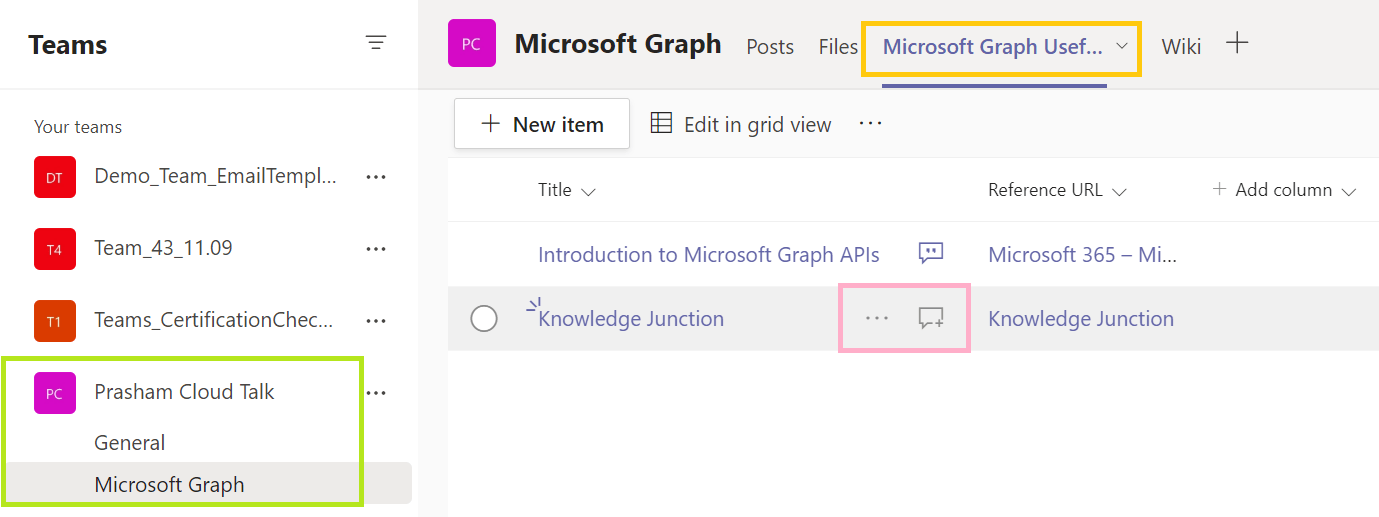
  • I have created a one list – “Microsoft Graph Useful References” in My Team – “Prasham Cloud Talk” as shown in below fig
  • Next one item in the list as shown in below fig, if there are already comments added then for list item it shows comment icon as shown in below fig – When a list item has a comment, an icon appears next to the item
Microsoft Teams - new feature - comments and mention in the list
Fig : Microsoft Teams – new feature – comments and mentions in the list
  • If there is no comments already then we have “add comment” icon as shown in below fig
Microsoft Teams - new feature - Adding comments and mentions in list  - new comment icon
Fig : Microsoft Teams – new feature – Adding comments and mentions in list – new comment icon
  • If we click on “add comment” icon – we will be redirected to list item and from light side we could add the comment as shown in below fig
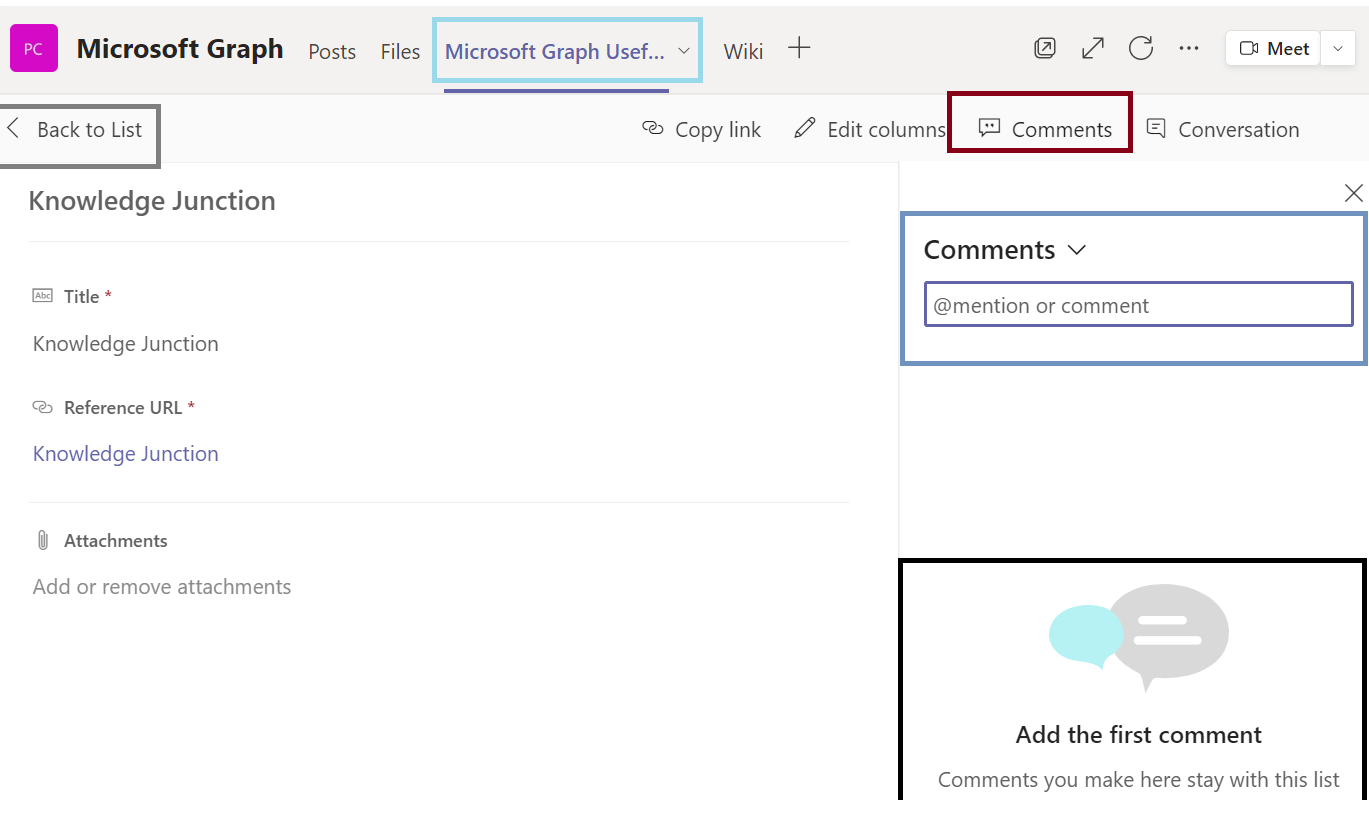
Microsoft Teams - new feature - Adding new comment to list item
Fig : Microsoft Teams – new feature – Adding new comment to list item
  • Once comments are added we could see existing comments and reply / delete / new comment by going to list item and from “Comments” link
Microsoft Teams - new feature - comments and mentions in the list
Fig : Microsoft Teams – new feature – comments and mentions in the list
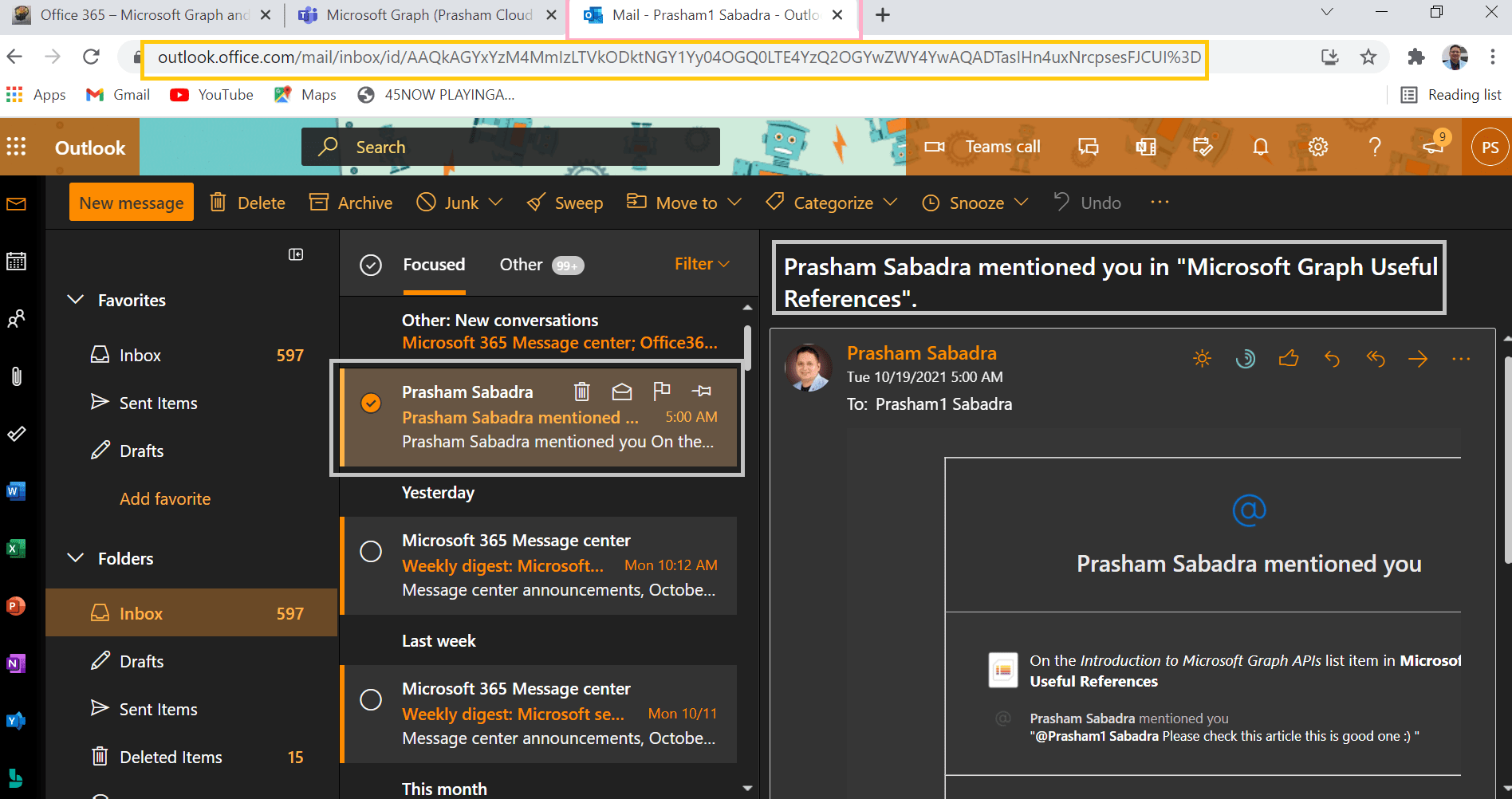
  • As mentioned in above details section – if we mention any specific user in comments, the respective user receives the email
  • Here, I am (user – Prasham Sabadra) mentioning the user – “Prasham1 Sabadra” in comments
  • User “Prasham1 Sabadra” receives following email – please have a look at “To” section
Microsoft Teams - new feature - Comments and Mentions for list items - when any user mentioned in comment section - respective user receives email
Fig : Microsoft Teams – new feature – Comments and Mentions for list items – when any user mentioned in comment section – respective user receives email
Microsoft Teams - new feature - Comments and Mentions for list items - when any user mentioned in comment section - respective user receives email
Microsoft Teams – new feature – Comments and Mentions for list items – when any user mentioned in comment section – respective user receives email

Thanks for reading 🙂 HAVE A GREAT FESTIVALS AHEAD 🙂 ENJOY THE BEAUTIFUL LIFE 🙂

Prasham Sabadra

LIFE IS VERY BEAUTIFUL. ENJOY THE WHOLE JOURNEY :) Founder of Microsoft 365 Junction, Speaker, Author, Learner, Developer, Passionate Techie. Certified Professional Workshop Facilitator / Public Speaker. Believe in knowledge sharing. Around 20+ years of total IT experience and 17+ years of experience in SharePoint and Microsoft 365 services Please feel free me to contact for any SharePoint / Microsoft 365 queries. I am also very much interested in behavioral (life changing) sessions like motivational speeches, Success, Goal Setting, About Life, How to live Life etc. My book - Microsoft 365 Power Shell hand book for Administrators and Beginners and 100 Power Shell Interview Questions - https://www.amazon.in/Microsoft-Administrators-Beginners-Interview-Questions/dp/9394901639/ref=tmm_pap_swatch_0?_encoding=UTF8&qid=1679029081&sr=8-11

You may also like...

Leave a Reply

This site uses Akismet to reduce spam. Learn how your comment data is processed.

Discover more from Microsoft 365

Subscribe now to keep reading and get access to the full archive.

Continue reading