Microsoft 365 – Few approaches / options for Connecting to tenant using PnP PowerShell – Connect-PnPOnline – Part 1

Microsoft 365 - Connecting to Microsoft tenant using PnP PowerShell - Connect-PnPOnline
Hi All,
Greetings for the day 🙂 LIFE IS BEAUTIFUL 🙂
Today discussion on one more very useful PowerShell CMDLET 🙂
Background : Many times I or my team need write few PowerShell scripts where we need to connect to Microsoft 365 tenant. Sometime we uses PnP PowerShell cmdlet.
So here in 2 part series we will discuss few approaches to connect to Microsoft 365 Tenant using PnP PowerShell cmdlet – Connect-PnPOnline and respective use cases – when to use which approach
Prerequisites :
- If SharePoint PnP module is not installed, kindly please install by using following one of the option
- Execute the following command
Install-Module SharePointPnPPowerShellOnline - Download setup files and install. We could download files from https://github.com/pnp/pnp-powershell/releases
- Detailed documentation – https://github.com/pnp/pnp-powershell/releases
Details :
- To connect Microsoft 365 tenant using PnP PowerShell CMDLET we have CMDLET – Connect-PnPOnline
- Connect-PnPOnline connects to SharePoint site or create context for other PnP commands
- Detailed reference – https://docs.microsoft.com/en-us/powershell/module/sharepoint-pnp/connect-pnponline?view=sharepoint-ps
Different options available to connect Microsoft 365 tenant using Connect-PnPOnline are
- Using Interactive parameter as
- When we use –Interactive parameter, we get prompted for user name and password to login
- Once we connected with valid user name and password we are ready to execute the PnP CMDLETs (context will be ready to execute other PnP commands)
- We could use this option while
- testing our PowerShell scripts OR
- only one time execution OR
- occasionally manually execution
Connect-PnPOnline -Interactive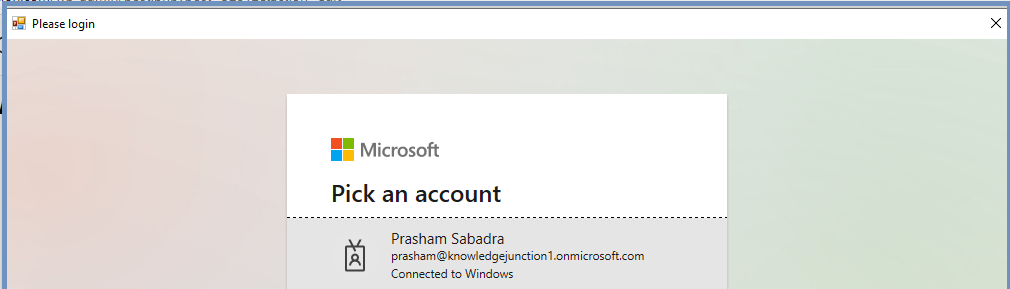

- Using Credentials (Get-Credential) parameter
- When we use -Credential (Get-Credential) parameter, we will get prompted for user name and password
- Once we entered credentials successfully, we are ready to execute other PnP CMDLETs
Connect-PnPOnline -Url https://knowledgejunction1.sharepoint.com -Credentials (Get-Credential)

- Using client id and client secret key :
- We could register our App and generate client secret key from Azure Active Directory Admin Center.
- For step by step details please have a look once – https://knowledge-junction.in/2018/12/20/office-365-azure-active-directory-registering-creating-new-azure-app-detailed-steps/
- This is also uses Legacy ACS authentication
Connect-PnPOnline -Url "https://knowledgejunction1.sharepoint.com" -ClientId <MY APP CLIENT ID> -ClientSecret <MY CLIENT SECRET>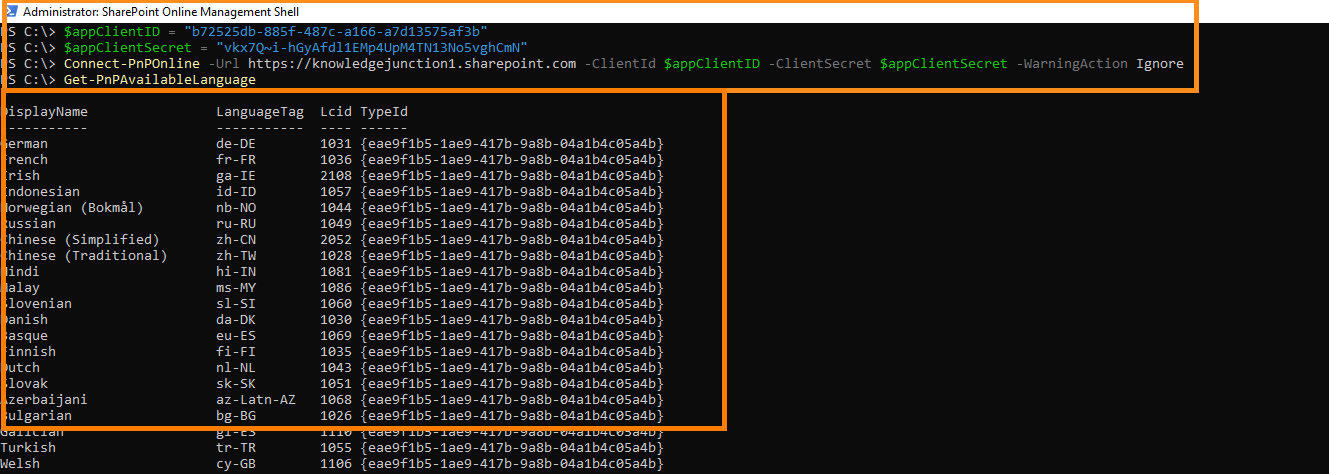
- Using ClientId and locally available Certificate :
- This method uses Azure App client id and X509 certificate
- For creating certificate please refer – https://docs.microsoft.com/en-us/sharepoint/dev/solution-guidance/security-apponly-azuread
- This is the preferable option
- We could also store the certificate in Azure Key Vault
- Please have a look at our article for storing keys in Key Vault service and using those in .NET Core application –
- Azure – Connect to Key Vault from .Net Core application using Managed Identity – Part1 – Introduction to Azure Key Vault
- Azure – Connect to Key Vault from .Net Core application using Managed Identity – Part2 – App Service – Creating App Service from Azure Portal
- Azure – Connect to Key Vault from .Net Core application using Managed Identity – Part 3 – Publishing / Deploying .Net core console application as a Azure WebJob and Schedule it
- Azure – Connect to Key Vault from .Net Core application using Managed Identity – Part 4 – Exploring Managed Identity and Demo
$password = (ConvertTo-SecureString -AsPlainText 'myprivatekeypassword' -Force)

Connect-PnPOnline -Url "https://knowledgejunction1.sharepoint.com" -ClientId <MY CLIENT ID> -CertificatePath 'c:\mycertificate.pfx' -CertificatePassword $password  -Tenant 'knowledgejunction1.onmicrosoft.com'
In next article we will discuss some more approaches 🙂 STAY TUNED…
Thanks for reading 🙂 HAVE A FANTASTIC TIME AHEAD 🙂


5 Responses
[…] last article – Microsoft 365 – Few approaches / options for Connecting to tenant using PnP PowerShell –… we discussed few approaches / options for connecting SharePoint site / generating context using PnP […]
[…] Microsoft 365 – Few approaches / options for Connecting to tenant using PnP PowerShell – Connect-PnPOnline – Part 1 – https://knowledge-junction.in/2021/12/16/microsoft-365-few-approaches-options-for-connecting-to-ten… […]
[…] We have detailed article on connecting our Microsoft 365 tenant using PnP, please have a look – https://knowledge-junction.in/2021/12/16/microsoft-365-few-approaches-options-for-connecting-to-tena… […]
[…] Microsoft 365 – Few approaches / options for Connecting to tenant using PnP PowerShell – Connect-PnPOnline – Part 1 – https://knowledge-junction.in/2021/12/16/microsoft-365-few-approaches-options-for-connecting-to-tena… […]
[…] Microsoft 365 – Few approaches / options for Connecting to tenant using PnP PowerShell – Connect… […]