Microsoft 365 : MAJOR UPDATE – Message Center Email Notification Changes – By default from beginning this month administrators of our tenant will no longer receive the message weekly digest and major updates email notifications

Microsoft 365 - Admin center >> Message center >> Preferences >> Email preferences
Hi All,
Greetings for the day !!!
Major Update : Beginning of this month administrators of our tenant will no longer receive the message weekly digest and major updates email notifications by default
Details
- Beginning of this month administrators of our tenant will no longer receive the message weekly digest and major updates email notifications by default
- Any customer who have already customised there email preferences for message center those tenants wont be affected by this update. These admins will keep receiving messages as per there email preferences
- This update is for the customers who have default preference and did not customized their email preferences
Updating Email preferences
- Navigate to Message center
- Navigate to Microsoft 365 admin center – https://admin.microsoft.com/#/homepage

- Bit scroll down and we will see – “Message center”
- Click on “Message center” link, we will be redirected to “Message center” page – https://admin.microsoft.com/Adminportal/Home#/MessageCenter

- On click of “Preferences“, right pane will be opened with two tabs –
- Custom View
- Under “Email” tab select the preferences for the services which we / admin need to receive the emails
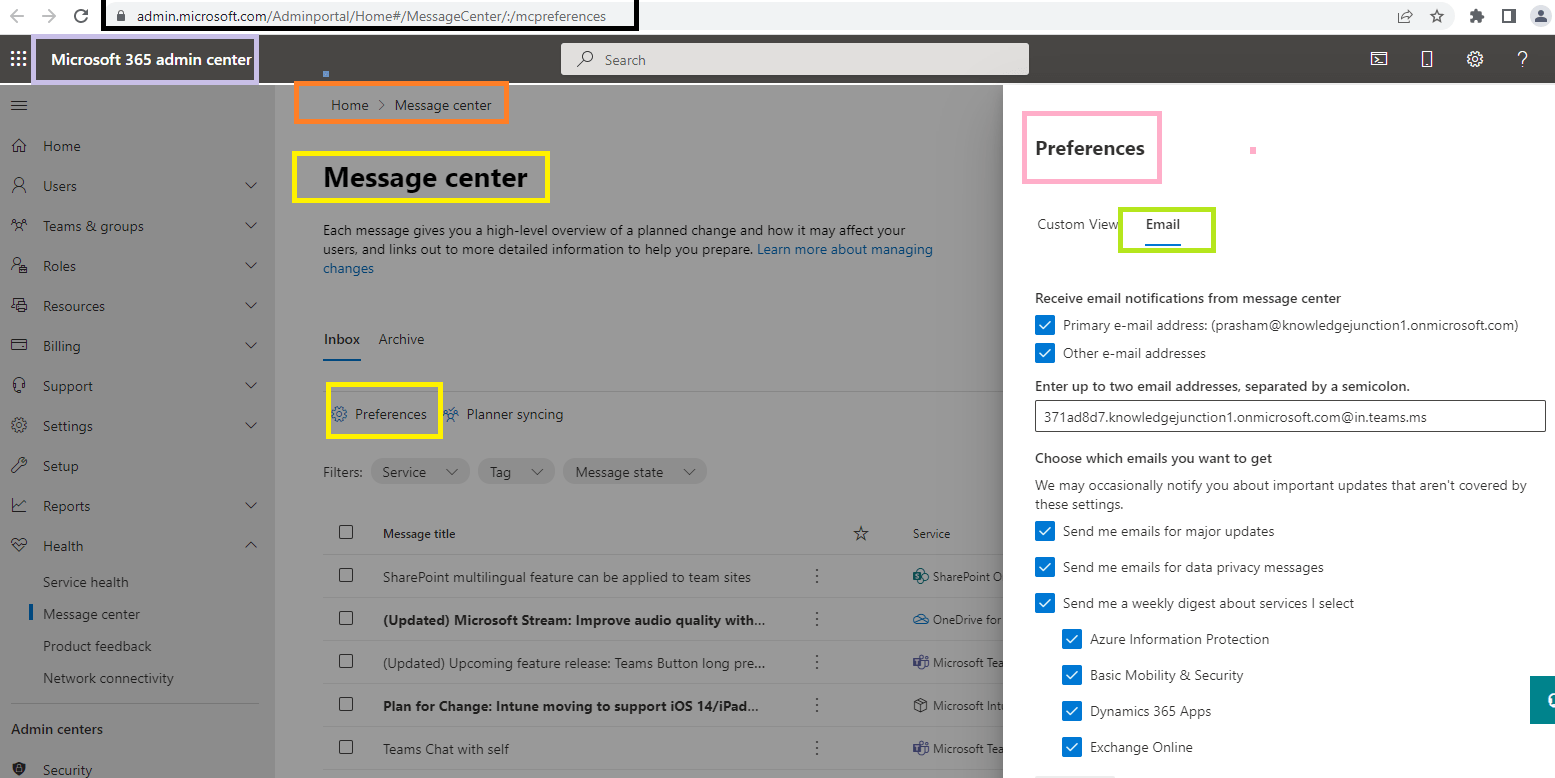
- Once we / Admin set email preferences will receive email digest for respective services
Thanks for reading!!! Please feel free to discuss in case any questions / suggestions / thoughts !!!
HAVE A GREAT TIME AHEAD !!! LIFE IS BEAUTIFUL 🙂


You must be logged in to post a comment.