Microsoft 365 : SharePoint Online – Showing calendar view of Event list on modern pages – small trick / workaround – no OOB option available

Microsoft 365 - SharePoint Online - Calendar view of "Event" list on Modern page using Embed WebPart

Hi All,

Greetings for the day!!!

Today new issue and solution / workaround

Details:

  • We have modern site collection
  • One of our user need calendar view of Event list on modern page
  • But in modern site on modern page there is no way to show calendar view of Event list
  • We have an option as either “Filmstrip” or “Compact” layout only
  • There is no way to have display “Calendar” view as we have on classic pages
Microsoft 365 - SharePoint Online - OOB calendar layouts on Modern Page
fig : Microsoft 365 – SharePoint Online – OOB calendar layouts on Modern Page

Workaround / Solution

  • We have an option of using “Embed” web part and providing URL for calendar view of Event list
Microsoft 365 - Embed web part
fig: Microsoft 365 – SharePoint Online – Embed web part
  • If we navigate to “Site Content >> Event” list then for Event list we have calendar view as shown in below fig
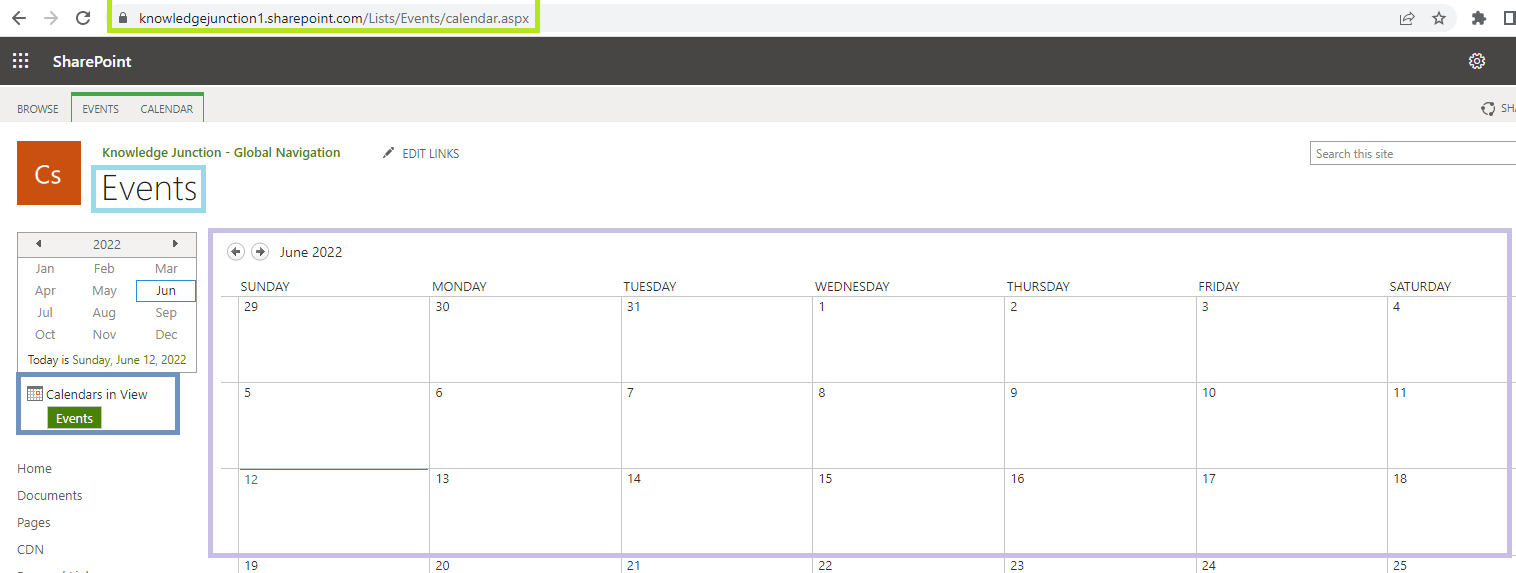
Microsoft 365 - SharePoint Online - Communication site - Calendar view for Event list
fig : Microsoft 365 – SharePoint Online – Communication site – Calendar view for Event list
  • Please note the URL of Calendar view of Event list – “<SITE URL>/Lists/Events/calendar.aspx“
  • Here we have – “knowledgejunction1.sharepoint.com/Lists/Events/calendar.aspx“
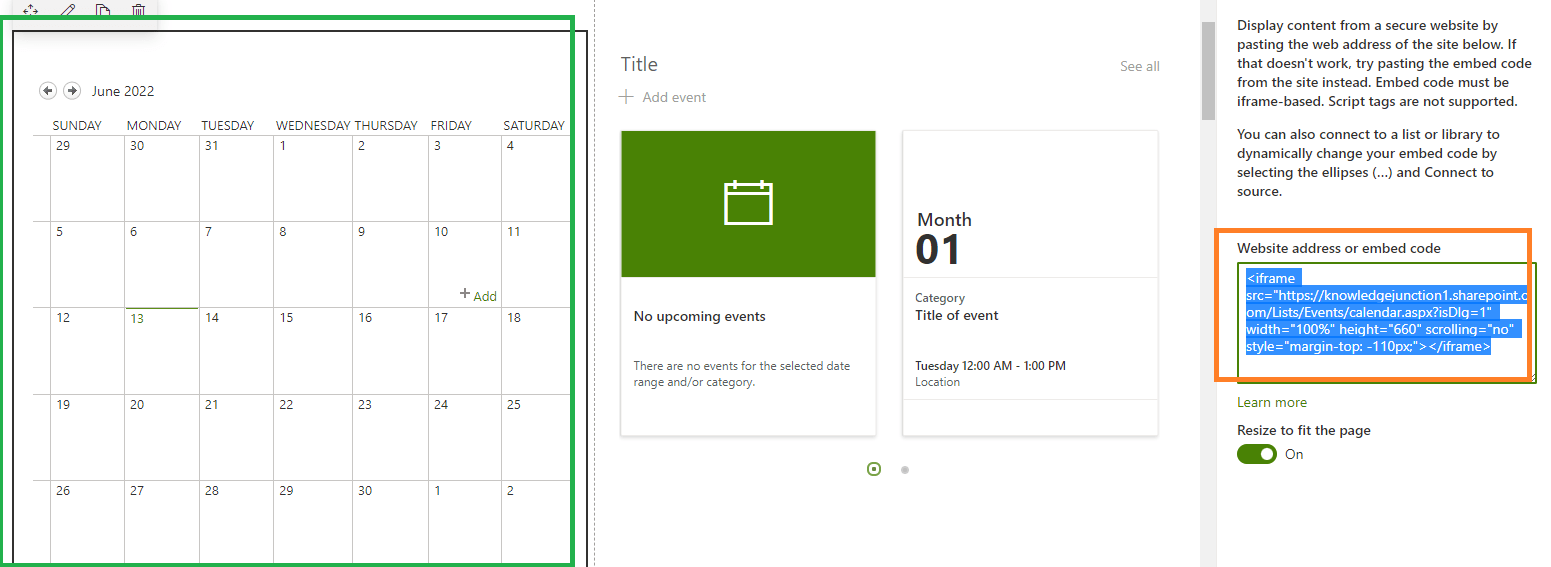
Microsoft 365 - SharePoint Online - Calendar view of  "Event" list on Modern page
fig : Microsoft 365 – SharePoint Online – Configuring calendar view of “Event” list on Modern page using Embed WebPart
  • Following is the embed code in Embed web part
<iframe src="https://knowledgejunction1.sharepoint.com/Lists/Events/calendar.aspx?isDlg=1" width="100%" height="660" scrolling="no" style="margin-top: -110px;"></iframe>

  • Please note here query string parameter – “isDlg=1” need to specify otherwise it shows complete SharePoint page with suit bar
  • After publishing the page it looks like
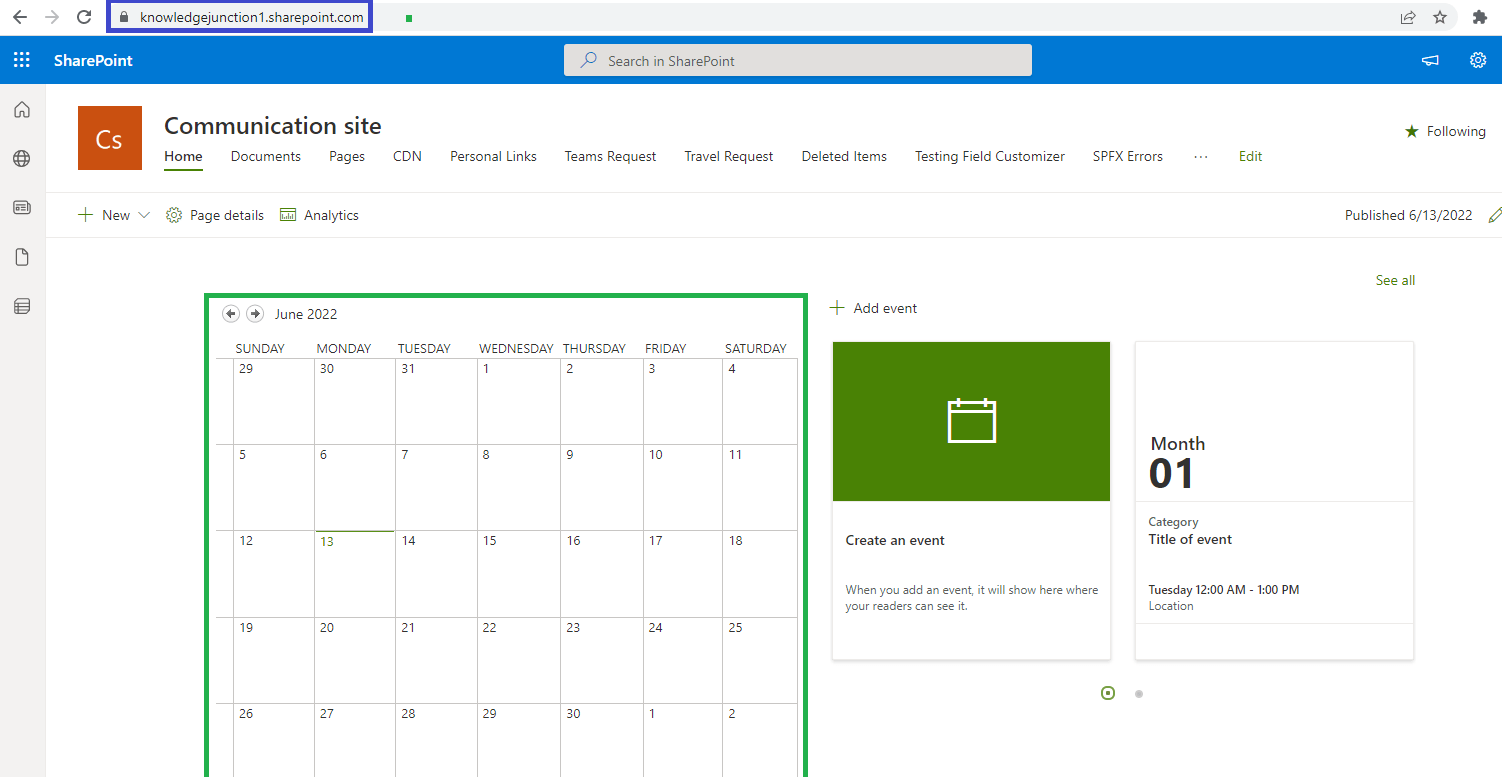
Microsoft 365 - SharePoint Online - Calendar view of  "Event" list on Modern page using Embed WebPart
fig : Microsoft 365 – SharePoint Online – Calendar view of “Event” list on Modern page using Embed WebPart

Thanks for reading the article !!! Please feel free to discuss in case any issues / suggestions / thoughts / questions !!!

HAVE A GREAT TIME AHEAD !!! LIFE IS BEAUTIFUL 🙂

Prasham Sabadra

LIFE IS VERY BEAUTIFUL. ENJOY THE WHOLE JOURNEY :) Founder of Microsoft 365 Junction, Speaker, Author, Learner, Developer, Passionate Techie. Certified Professional Workshop Facilitator / Public Speaker. Believe in knowledge sharing. Around 20+ years of total IT experience and 17+ years of experience in SharePoint and Microsoft 365 services Please feel free me to contact for any SharePoint / Microsoft 365 queries. I am also very much interested in behavioral (life changing) sessions like motivational speeches, Success, Goal Setting, About Life, How to live Life etc. My book - Microsoft 365 Power Shell hand book for Administrators and Beginners and 100 Power Shell Interview Questions - https://www.amazon.in/Microsoft-Administrators-Beginners-Interview-Questions/dp/9394901639/ref=tmm_pap_swatch_0?_encoding=UTF8&qid=1679029081&sr=8-11

You may also like...

Leave a Reply

This site uses Akismet to reduce spam. Learn how your comment data is processed.