Ubuntu : Running .NET Core console application

Executing .NET core console application on LINUX
Hi All,
Greetings for the day 🙂 LIFE IS BEAUTIFUL 🙂
Today something new 🙂 Running .NET core HelloWorld console application on Ubuntu box
Background / Details :
- Here, we might have a questions what is the need to execute the .NET core application on Ubuntu
- I am studying / understanding DOCKER and KUBERNAETES for this I need to create docker image from scratch and trying simple application and this is the first step
STEP 1 : First step is to install dotnet core on our LINUX / UBUNTU box
- I have created UBUNTU vm on my free subscribed AZURE
- We could verify if dotnet is installed or not by executing command dotnet
dotnet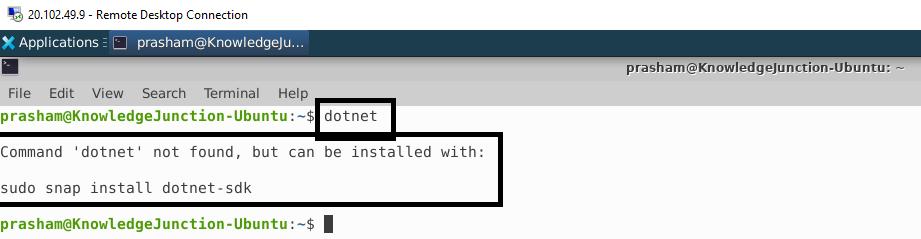
- If dotnet is not installed then we get the below message as shown in above Fig
Command ‘dotnet’ not found, but can be installed with:
sudo snap install dotnet-sdk- Lets install the dotnet as shown in below steps
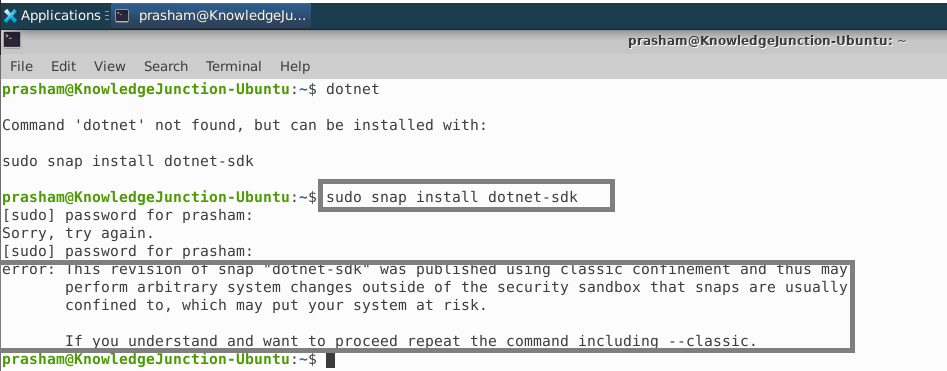

- Once DOTNET installed successfully, we will get success message as shown in below fig

STEP 2 : Creating simple “Hello World” .NET core console application
- To create console application having name – “KnowledgeJunction.NetCore.Docker”, we will execute the command
dotnet new console -o App -n KnowledgeJunction.NetCore.Docker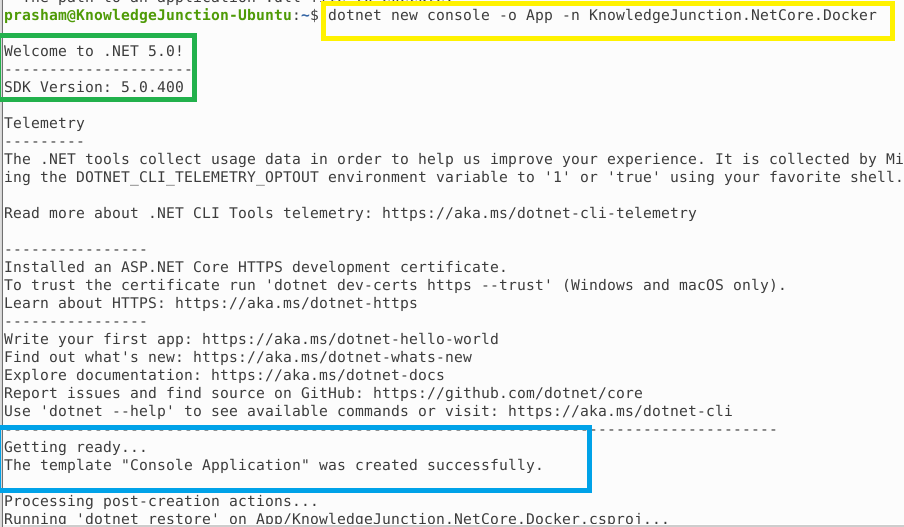
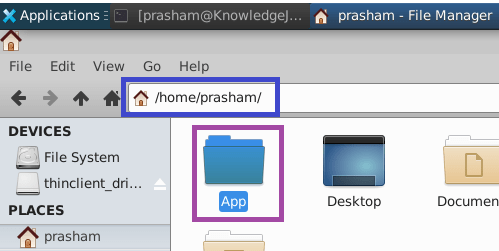
- We have solution structure as in App folder as shown in below Fig with following files
- KnowledgeJunction.NetCore.Docker.csproj
- Program.cs
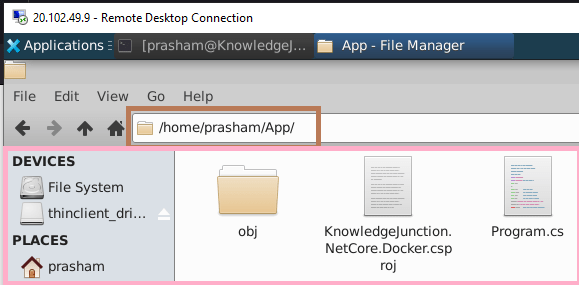
- Open the “Program.cs” file in Terminal
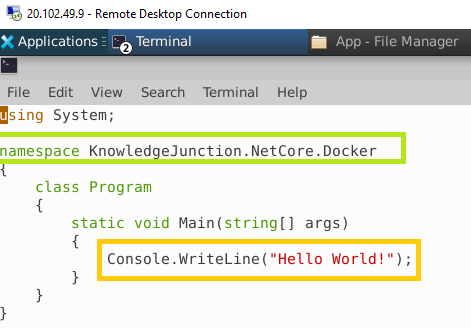
Step 3 : Build and Run the application – Next step is build and run our application – lets see the output
- To build our appliaction we will execute dotnet command with build option as
dotnet build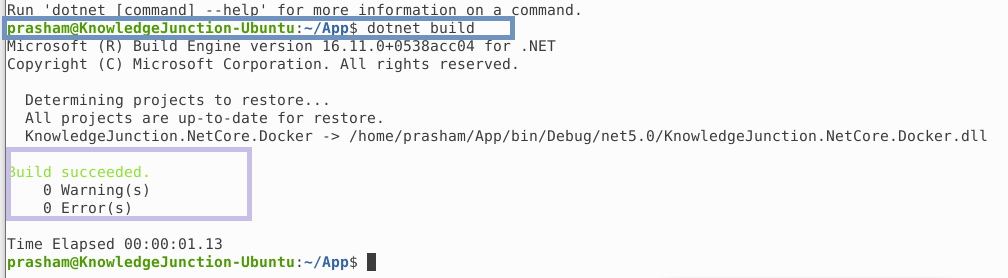
- This is the simple console application so its ok to open files in Terminal
- But for our large applications / solutions I will go for Visual Studio Code. I have installed the Visual Studio Code We have detailed article for installing Visual Studio Code on LINUX box – Linux / Ubuntu : Installing Visual Studio Code
- Once we have Visual Studio Code, I have also installed C# extention for Visual Studio Code
- Open the our project folder in Visual Studio Code as shown in below Fig
- From “Visual Studio Code” terminal we will build and run our application
- On successful build we could run our application to have output
dotnet run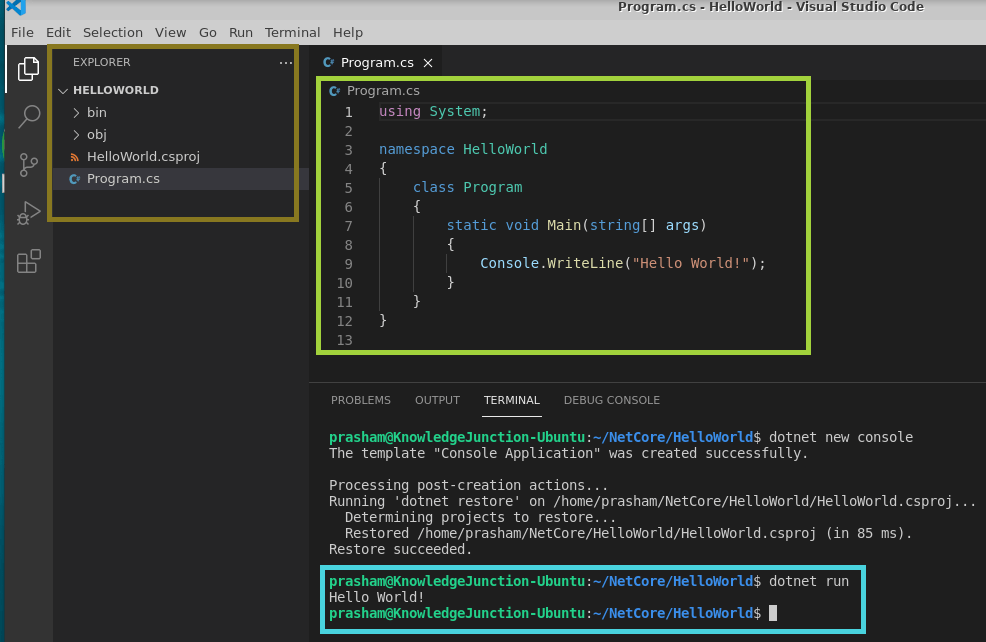
We have very good series of articles on Ubuntu / Linux – https://knowledge-junction.in/category/technology-articles/linux/
Thanks for reading 🙂 HAVE A SAFE LIFE 🙂 TAKE CARE 🙂


You must be logged in to post a comment.