Small Tips and Tricks – Microsoft Teams – Setting File open preference for Word, Excel and PowerPoint documents

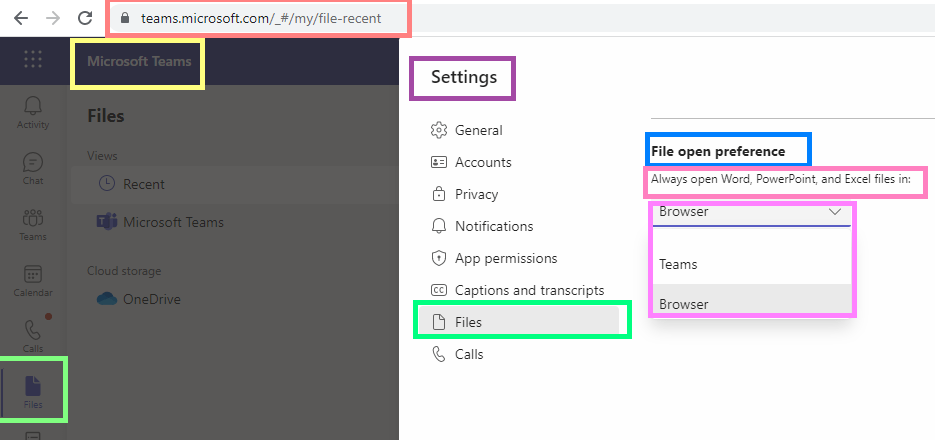
fig : Microsoft Teams - Files - Settings - Files - File open preference for Word, PowerPoint and Excel files

Hi All,

Greetings for the day!!!

Today new tip related to opening documents / files in Microsoft Teams.

Actually I was not aware this setting and I do not want to open files in Teams itself. Today got to know about this setting – “File open preference” so sharing . SHARING IS CARING 🙂

Tip – How to set File open preference for Word, PowerPoint and excel documents in Microsoft Teams.

Details / Steps –

  • In Microsoft Teams, from left pane select Files as shown in below fig
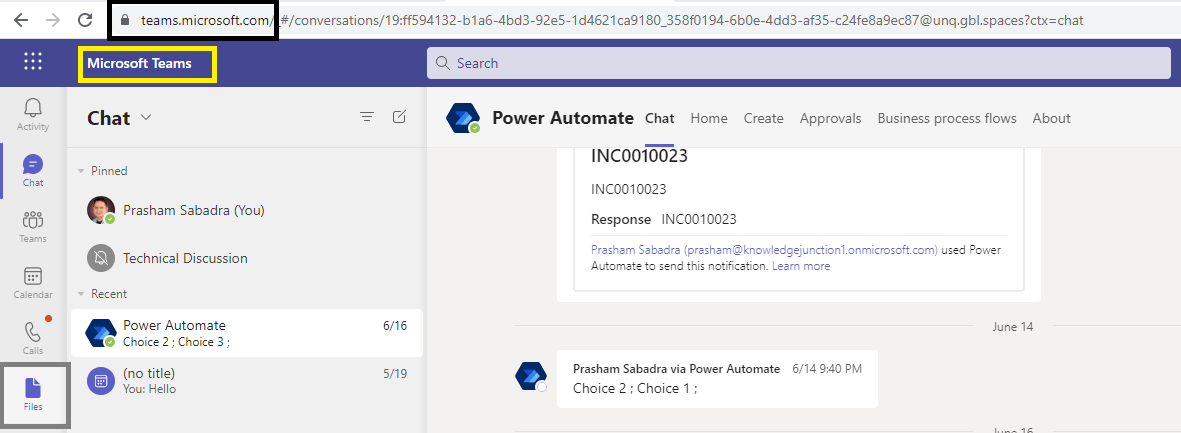
Microsoft Teams - Files - Left pane
fig : Microsoft Teams – Files – Left pane
  • On click of Files, in right side Files pane will open as shown in below fig
  • From top navigation section, from right side, click on three dots (…) before the tenant name – as shown in below fig
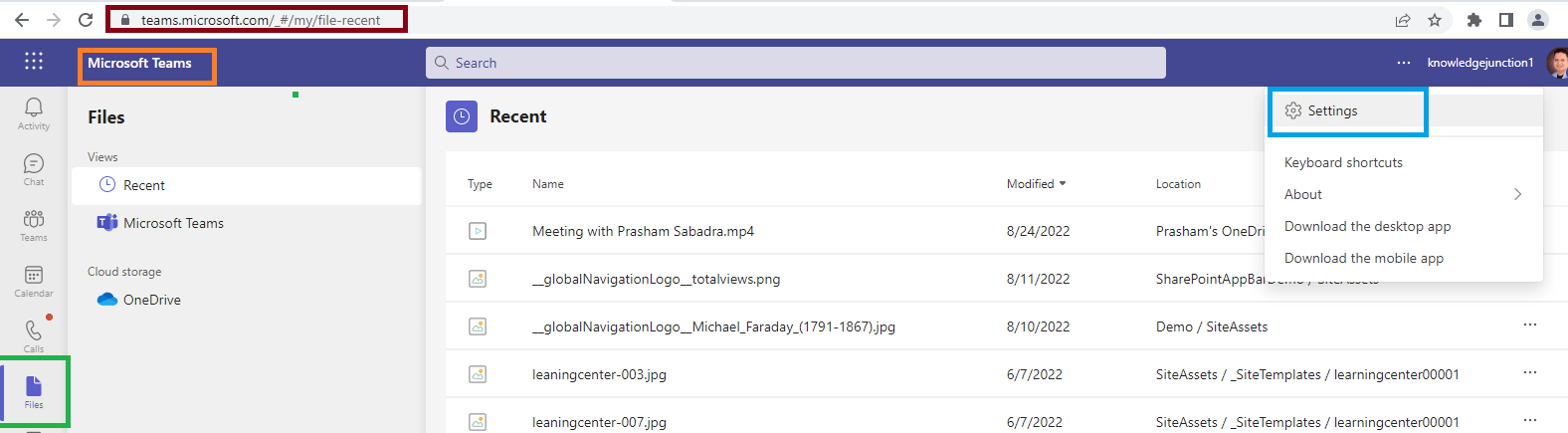
fig : Microsoft Teams - Files - Settings - right top corner
fig : Microsoft Teams – Files – Settings – right top corner
  • We will be redirected to Files settings as shown in below fig
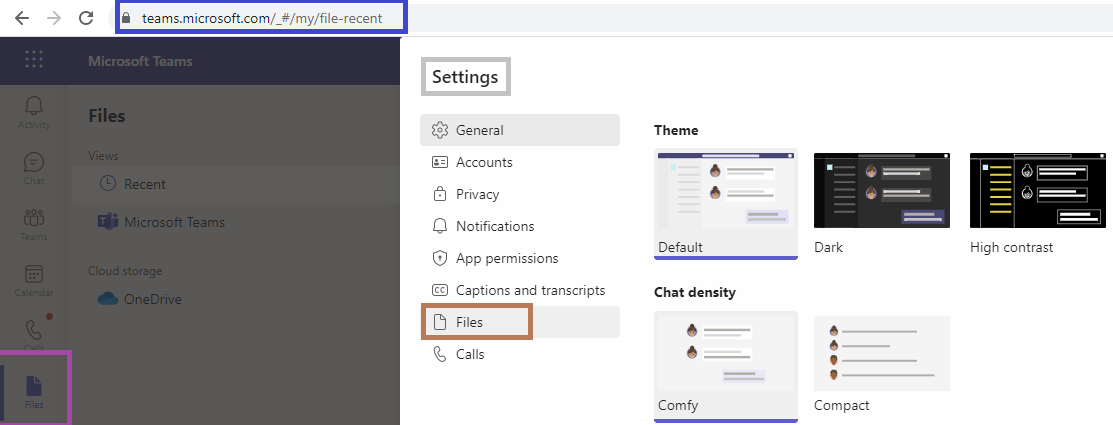
fig : Microsoft Teams - Files - Settings - Files
fig : Microsoft Teams – Files – Settings – Files
  • From Files settings in Teams, select Files as in below fig
  • And we have setting “File open preference” as shown in below fig
  • Currently we have two options available
    • Teams – This is default option
    • Browser
fig : Microsoft Teams - Files - Settings - Files - File open preference for Word, PowerPoint and Excel files
fig : Microsoft Teams – Files – Settings – Files – File open preference for Word, PowerPoint and Excel files

Thanks for reading. If its worth at least reading once, kindly please like and share !!! SHARING IS CARING 🙂

Enjoy the beautiful life !!! Have a FUN !!! HAVE A SAFE LIFE !!! TAKE CARE 🙂

Prasham Sabadra

LIFE IS VERY BEAUTIFUL. ENJOY THE WHOLE JOURNEY :) Founder of Microsoft 365 Junction, Speaker, Author, Learner, Developer, Passionate Techie. Certified Professional Workshop Facilitator / Public Speaker. Believe in knowledge sharing. Around 20+ years of total IT experience and 17+ years of experience in SharePoint and Microsoft 365 services Please feel free me to contact for any SharePoint / Microsoft 365 queries. I am also very much interested in behavioral (life changing) sessions like motivational speeches, Success, Goal Setting, About Life, How to live Life etc. My book - Microsoft 365 Power Shell hand book for Administrators and Beginners and 100 Power Shell Interview Questions - https://www.amazon.in/Microsoft-Administrators-Beginners-Interview-Questions/dp/9394901639/ref=tmm_pap_swatch_0?_encoding=UTF8&qid=1679029081&sr=8-11

You may also like...

Leave a Reply

This site uses Akismet to reduce spam. Learn how your comment data is processed.

Discover more from Microsoft 365

Subscribe now to keep reading and get access to the full archive.

Continue reading